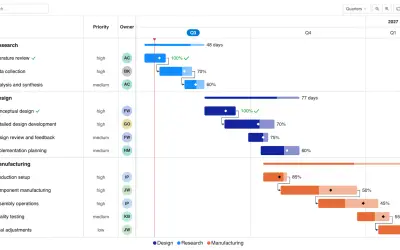
Gantt Chart
Gantt Chart is a project management visual for Microsoft Power BI that tracks schedules, milestones, and resource workloads.
ChartPadFree
Timeline chart for Power BI that plays back events and filters the report as they appear.
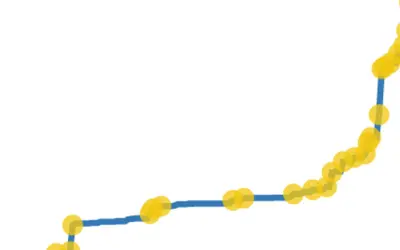
Pulse Chart displays key events on a timeline and plays back time-series data. Playback pauses when an event appears and filters the rest of the report. An auto-play option starts playback when the report loads. Selecting a data point opens a popup with a specified title and description, with an optional timestamp.
Displays non-blank event values as circles on a time-series chart.
Pauses playback at events and filters the rest of the report.
Starts playback when the report loads.
Shows a specified title and description, with an optional timestamp, for a selected data point.
2,531 plugins in Power BI · Analytics
Price distribution: 125 free, 147 freemium, 1,350 paid, 909 price not published
Gantt Chart is a project management visual for Microsoft Power BI that tracks schedules, milestones, and resource workloads.
ChartPad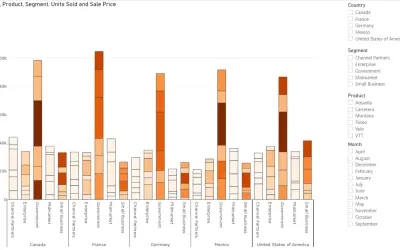
Creates visualizations from diverse chart types, combines multiple charts on one canvas, and adds custom annotations and tooltips.
Akvelon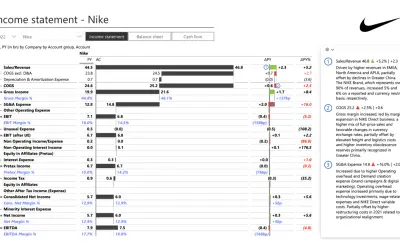
Creates financial and business reports in Power BI with automatic variance calculations, P&L logic, and drill-down (s5, s6).
Zebra BI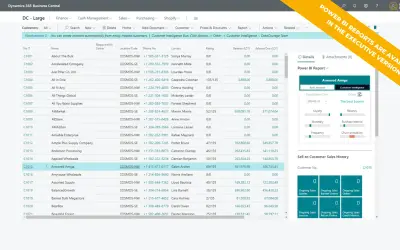
AI analysis app for Dynamics 365 Business Central that provides customer KPIs, churn probability, and customer grouping.
Data Courage«The Pulse chart shows key events on a timeline and lets you play back the events to reveal insights. The Pulse Chart allows you to playback the data to see the trend unfold in front of your eyes. When an event appears, the playback pauses to filter the rest of the report, revealing hidden relationships. You can use …»