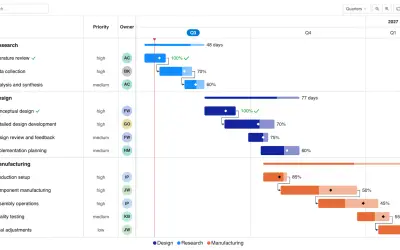
Gantt Chart
Gantt Chart is a project management visual for Microsoft Power BI that tracks schedules, milestones, and resource workloads.
ChartPadFree
Visualizes relationships between entities in Power BI using circular nodes and proportional connection arcs.
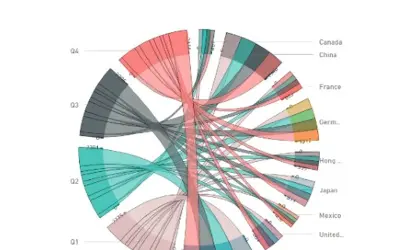
Displays relationships between entities in a dataset or between groups of data. It arranges nodes around a circle and connects related points with arcs or Bézier curves. Connection values determine the relative size of each arc. Data colors, axes, and labels can be customized.
Displays connections between entities that share something in common.
Arranges diagram nodes around a circle.
Represents assigned connection values through the relative size of each arc.
Allows customization of data colors, axes, and labels.
51 plugins in GitHub · Analytics
Price distribution: 1 free, 2 freemium, 42 paid, 6 price not published
Gantt Chart is a project management visual for Microsoft Power BI that tracks schedules, milestones, and resource workloads.
ChartPad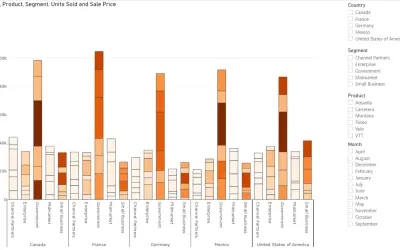
Creates visualizations from diverse chart types, combines multiple charts on one canvas, and adds custom annotations and tooltips.
Akvelon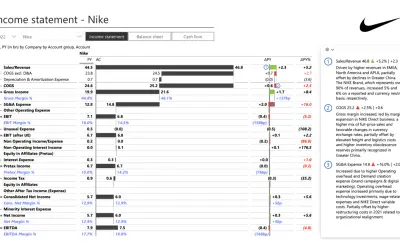
Creates financial and business reports in Power BI with automatic variance calculations, P&L logic, and drill-down (s5, s6).
Zebra BI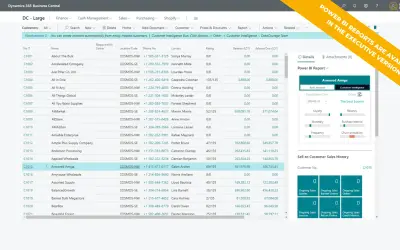
AI analysis app for Dynamics 365 Business Central that provides customer KPIs, churn probability, and customer grouping.
Data Courage«This type of diagram visualises the inter-relationships between entities. The connections between entities is used to display that they share something in common. This makes Chord Diagrams ideal for comparing the similarities within a dataset or between different groups of data. Nodes are arranged around a circle …»