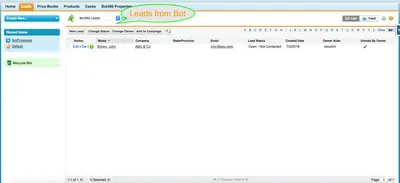
Bot 360
Embeds a bot on websites or Salesforce communities to collect leads and let visitors submit and track support cases.
Salesforce LabsFree
Create Salesforce cases and attach files in one transaction without changing screens.

Lets end users create a case and attach a file in one Salesforce transaction without switching screens. The flow can be placed throughout Salesforce, including community portal pages, and its fields can be customized.
Creates a Salesforce case within the flow.
Allows a file to be attached while creating the case.
Supports customization of the flow's fields.
Allows the flow to be placed anywhere in Salesforce, including community portal pages.
End users creating cases in Salesforce.
Bot 360 includes support case creation and case-status tracking through a bot for brand visitors, whereas Case + File Upload combines case creation with file attachment in one Salesforce transaction. Bot 360 is described as using an embeddable HTML mark, while Case + File Upload is described as a flow that can be placed anywhere in Salesforce, including community portal pages.
| Name | Pricing | Deployment | Updated |
|---|---|---|---|
| this plugin | Free | Cloud | |
| Bot 360 | Free | Cloud |
340 plugins in Salesforce Platform · Customer Service
Price distribution: 93 free, 41 freemium, 206 paid
Embeds a bot on websites or Salesforce communities to collect leads and let visitors submit and track support cases.
Salesforce Labs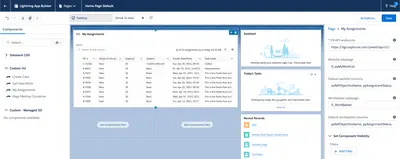
Embeds Pega case tools and worklists within the Salesforce Lightning interface.
Pegasystems Inc.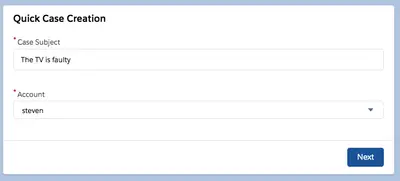
Creates Salesforce Platform cases, assigns an account, and attaches a file.
Salesforce Labs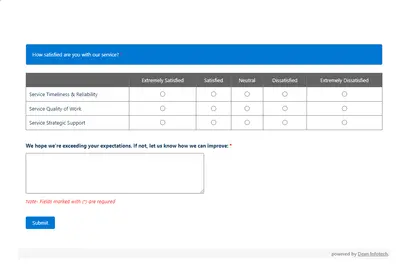
Automates customer satisfaction surveys and stores responses in Salesforce.
Dean Infotech Pvt Ltd«With this application, end users will be able to create cases and attach files without switching screens in a single transaction. Also this flow can be placed anywhere in Salesforce including community portal pages. Create a case and attach a file quickly. Customize your own fields according to your needs. Place the …»