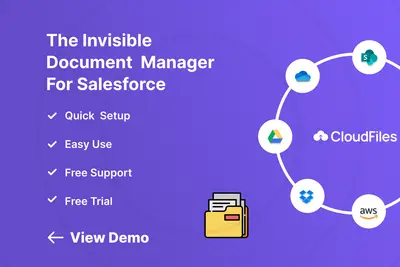
CloudFiles Document Management | Connect SharePoint, AWS S3, Azure, Google Drive
Manage external documents from Salesforce Experience Cloud records.
CloudFilesPaid
Manage Salesforce documents through SharePoint, AWS S3, Google Drive, and OneDrive with synchronization and workflow automation.

XfilesPro connects Salesforce with SharePoint, AWS S3, Google Drive, and OneDrive for external file storage and document management. It can create folders for Salesforce records, transfer files and email attachments, and synchronize content between Salesforce and connected storage. The listing also describes search, tagging, previews, version tracking, sharing controls, audit records, expiring links, and document workflows using Salesforce automation features.
Connects Salesforce with SharePoint, AWS S3, Google Drive, and OneDrive for external file storage.
Transfers Salesforce files and email attachments to connected storage and supports two-way synchronization.
Creates folders and subfolders for Accounts, Cases, and custom Salesforce objects.
Provides document search, tagging, previews, and version tracking across Salesforce and connected storage.
Includes permission settings, protected sharing, link expiration, activity records, and folder-level restrictions.
Supports file and external-storage workflows through Salesforce Flow, Apex, APIs, Platform Events, and triggers.
Moves Salesforce files in bulk to SharePoint, AWS S3, Google Drive, and OneDrive.
Salesforce teams and organizations.
CloudFiles lists connections to SharePoint, Google Drive, OneDrive, AWS S3, Azure Blob, Box, and Dropbox, while XfilesPro lists record-based folder creation, two-way synchronization, bulk migration, and Salesforce workflow automation. 24Files focuses on connecting Salesforce with SharePoint Online for file and folder access, uploads, and management; XfilesPro also lists connections to AWS S3, Google Drive, and OneDrive.
| Name | Pricing | Deployment | Updated |
|---|---|---|---|
| this plugin | Paid | Cloud | |
| CloudFiles Document Management | Connect SharePoint, AWS S3, Azure, Google Drive | Paid | Cloud | |
| Dropbox | Price not published | Cloud | |
| 24Files | Connect SharePoint with Salesforce | Paid | Cloud |
29 plugins in Sales Cloud · Documents and content
Price distribution: 7 free, 4 freemium, 18 paid
Manage external documents from Salesforce Experience Cloud records.
CloudFiles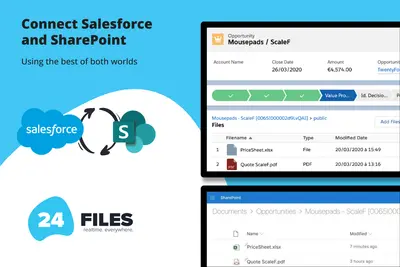
Connects Salesforce records to SharePoint for browsing, syncing, uploading, and managing files and folders.
24Flow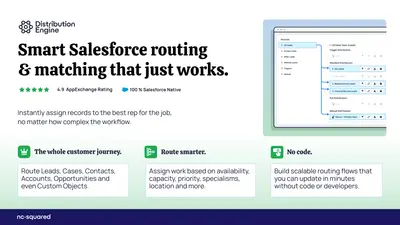
Routes Salesforce leads, cases, opportunities, and custom objects using assignment rules, territories, round robin, and SLAs.
NC Squared
Schedule meetings in Sales Cloud and Service Cloud using booking links, routing, calendar sync, and Salesforce records.
NC Squared«XfilesPro is an AI-powered Salesforce SharePoint Integration and document management solution that helps Salesforce teams integrate Salesforce with Microsoft SharePoint, AWS S3, Google Drive, & OneDrive for secure external file storage. Automatically create SharePoint, AWS S3, Google Drive, & OneDrive, upload & sync …»