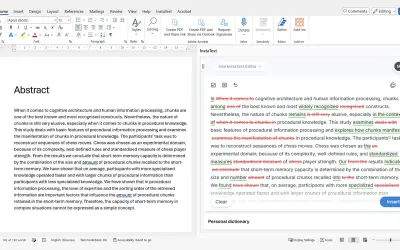
InstaText
InstaText, built for Microsoft Word, suggests improvements to clarity, sentence flow, and word choice in your text.
InstaText d.o.o.Price not published
Insert emoji as text or images in Word, PowerPoint, and OneNote.
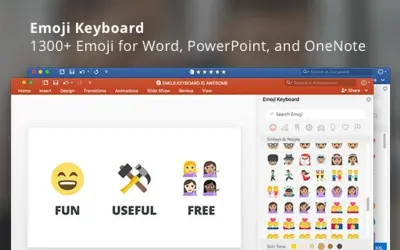
Emoji Keyboard provides more than 1300 emoji for Word, PowerPoint, and OneNote. Emoji can be inserted as text or images in different sizes. The add-in supports keyword search and skin tone modifiers. It requires minimal access permissions and does not track usage data.
Inserts emoji into Word, PowerPoint, and OneNote as text or images.
Finds emoji using keyword-based search.
Provides skin tone modifiers for emoji.
Inserts emoji images in different sizes.
117 plugins in Word · Productivity
Price distribution: 1 freemium, 7 paid, 109 price not published
InstaText, built for Microsoft Word, suggests improvements to clarity, sentence flow, and word choice in your text.
InstaText d.o.o.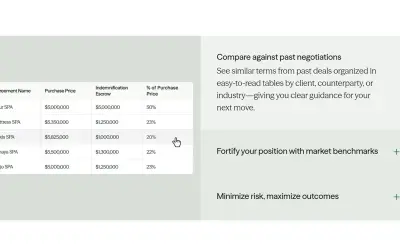
Draftwise executes contract drafting, review, and search workflows within Microsoft Word using an organization's legal knowledge.
DraftWise Inc
Autopilot integrates Zhipu AI and other AI models into Microsoft Excel, PowerPoint, and Word on Windows, Mac, Web, and iPad.
Smart Barn Technologies
Ghostwriter Author is a Microsoft Word add-in that applies Zhipu AI, Azure, and other AI models to writing and text tasks.
Smart Barn Technologies«Emoji Keyboard brings emoji to Microsoft Word, PowerPoint and OneNote. It's simple, fun, and surprisingly useful. • Provides more than 1300 emoji (Unicode 9.0 standard). • Emoji can be inserted as text or as images in different sizes. • Offers keyword-based emoji search, and skin tone modifiers. • Includes a …»