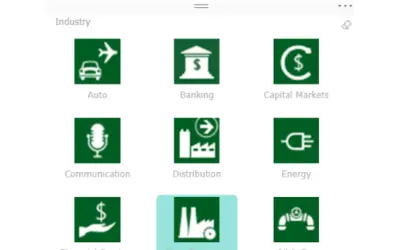
Chiclet Slicer
Button-based slicer for Power BI that can be arranged horizontally or as a matrix, with cross highlighting and image support.
Microsoft CorporationPaid
Creates network visualizations in Excel from data showing directed relationships such as payments or dependencies.
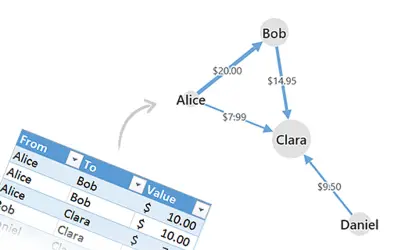
Creates network visualizations in Excel from data describing directed relationships between multiple parties. The add-in processes a data table, including aggregation, missing values, and varying value formats. It automatically generates boxes, arrows, and their layout.
Visualizes directed relationships between multiple parties.
Uses a data table as the source for the visualization.
Handles aggregation in the source data.
Handles missing values in the source data.
Generates boxes, arrows, and their layout automatically.
446 plugins in Excel · Analytics
Price distribution: 8 free, 17 freemium, 142 paid, 279 price not published
Button-based slicer for Power BI that can be arranged horizontally or as a matrix, with cross highlighting and image support.
Microsoft Corporation
Automates formulas, data cleanup, reporting, and bulk row-by-row tasks in Microsoft Excel from plain-language prompts.
TALARIAN S. à r.l.
Artemis Sheets pulls blockchain, protocol, and stablecoin metrics into Excel workbooks using CapIQ-like formula syntax.
Artemis Analytics
Excel add-in providing real-time quotes and up to 30+ years of historical price and fundamental data for 80,000+ global assets.
SheetsFinance«Gigraph extends Excel by powerful, yet intuitive network visualization capabilities. If your data describes directed relationships between multiple parties, for example payments or dependencies, this visualization is a perfect fit. Try the included sample data, and learn what Gigraph can do for you within seconds …»