Navigator 365: Intranet & Search
Navigator 365 provides search-driven intranet pages, document centers, and content discovery for Microsoft 365 environments.
Sharepointalist, Inc.Price not published
Bulk checks in or discards checked-out files and updates metadata in SharePoint Online.
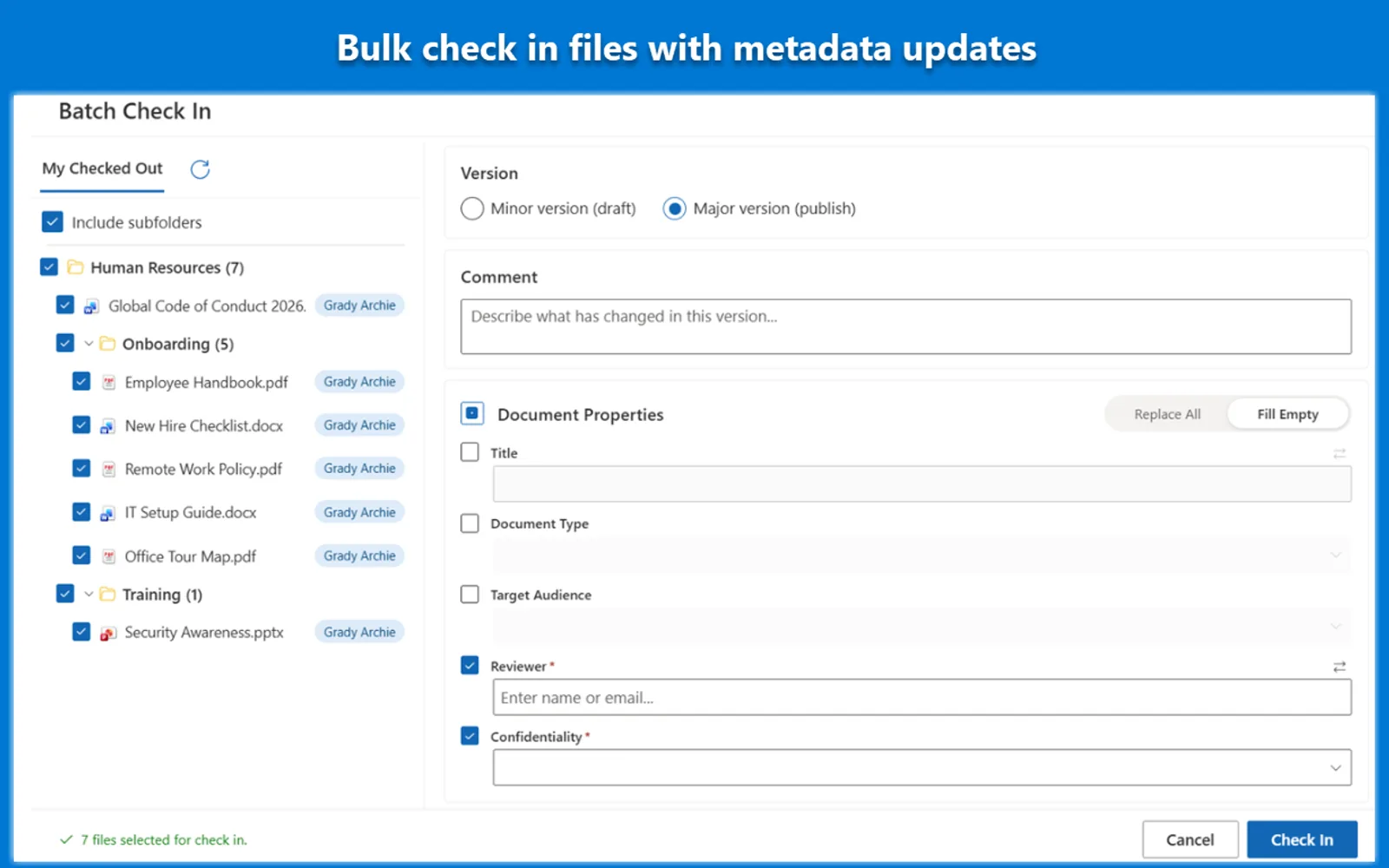
Batch Check In lets users select multiple SharePoint Online documents or folders for bulk check-in or checkout discard from the document library command bar. It supports editing file properties, filling required fields, and mapping values between columns during the check-in process. The app retrieves checked-out files from nested subfolders for bulk actions. Its site dashboard includes views for users' own checked-out files and for administrators overseeing all checked-out files.
Selected documents or folders can be checked in together from the SharePoint Online document library command bar.
Values from one column can be mapped to another column during the check-in process.
Properties can be replaced across selected files or added only where required fields are empty.
Checkout locks can be discarded for multiple files at once.
Checked-out files in nested subfolders can be retrieved into a single view.
The dashboard includes views for users' own checked-out files and all checked-out files.
The listing names users and administrators, including standard users managing their own files and administrators overseeing all checked-out files.
Batch Check In and Navigator 365: Intranet & Search are cloud deployments with unknown pricing; Batch Check In was updated on Jul 2026, while Navigator 365: Intranet & Search was updated on May 2026. Meridian Teams Proposal Center, Templafy for SharePoint, BulkSignature - Email Signature Management for Office 365, and Procurement Management System are also cloud deployments with unknown pricing; their update dates are Apr 2026, May 2026, Apr 2026, and Jan 2024 respectively.
| Name | Pricing | Deployment | Updated |
|---|---|---|---|
| this plugin | Price not published | Cloud | |
| Navigator 365: Intranet & Search | Price not published | Cloud | |
| Meridian Teams Proposal Center | Price not published | Cloud | |
| Templafy for SharePoint | Price not published | Cloud | |
| BulkSignature - Email Signature Management for Office 365 | Price not published | Cloud | |
| Procurement Management System | Price not published | Cloud |
127 plugins in Microsoft 365 · Legal & Compliance
Price distribution: 4 free, 9 freemium, 42 paid, 72 price not published
Navigator 365 provides search-driven intranet pages, document centers, and content discovery for Microsoft 365 environments.
Sharepointalist, Inc.
This SharePoint add-in lets Proposal Managers track efforts at a glance and collaborate with teams on proposal volumes.
XRSolutions
Adds Templafy document creation with brand and compliance controls to SharePoint, saving documents to the correct folder.
Templafy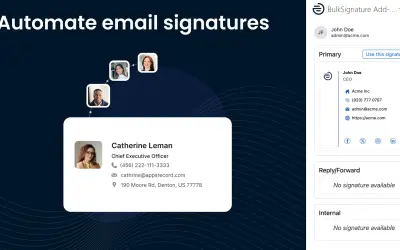
Automates deployment and centralized management of brand-compliant email signatures for Microsoft 365 organizations.
Apps Record LLC«Managing checked out files in SharePoint Online can be a major challenge for team collaboration. Instead of handling files one by one, users and administrators waste valuable time opening each file individually to fill in missing properties, while critical updates remain hidden from the organization. Batch Check In by …»