InstaText
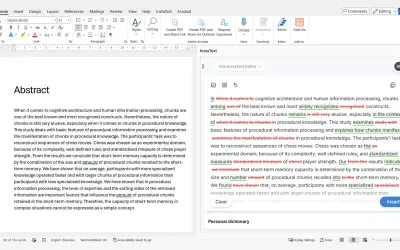
InstaText, built for Microsoft Word, suggests improvements to clarity, sentence flow, and word choice in your text.
InstaText d.o.o.Price not published
Create flowcharts, network layouts, floor plans, mind maps, and presentations in Word.

EdrawMax provides tools for making more than 280 kinds of diagrams. Listed examples include flowcharts, network diagrams, floor plans, mind maps, and presentations. Sign-in supports a Wondershare ID or an Edraw account. Free accounts have limits on file counts, exports, templates, encryption, printing, and version history.
Provides tools for making more than 280 kinds of diagrams.
Includes tools for making flowcharts.
Includes tools for making network diagrams.
Includes tools for making floor plans.
Includes tools for making mind maps.
Includes tools for making presentations.
115 plugins in Word · Security
Price distribution: 3 free, 7 freemium, 61 paid, 44 price not published
InstaText, built for Microsoft Word, suggests improvements to clarity, sentence flow, and word choice in your text.
InstaText d.o.o.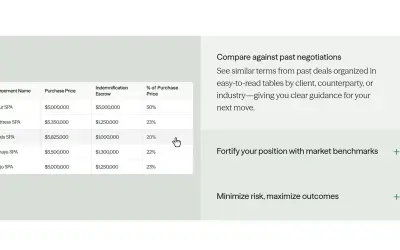
Draftwise executes contract drafting, review, and search workflows within Microsoft Word using an organization's legal knowledge.
DraftWise Inc
Autopilot integrates Zhipu AI and other AI models into Microsoft Excel, PowerPoint, and Word on Windows, Mac, Web, and iPad.
Smart Barn Technologies
Ghostwriter Author is a Microsoft Word add-in that applies Zhipu AI, Azure, and other AI models to writing and text tasks.
Smart Barn Technologies«Wondershare EdrawMax provides a workspace for creating over 280 types of diagrams, including flowcharts, network diagrams, floor plans, mind maps, presentations, and more. The easy-to-use user interface, rich resources, and powerful toolkits make it effortless to create and share professional diagrams. Download to …»