Issue Creator for Jira Cloud - Capture Screen&Annotate
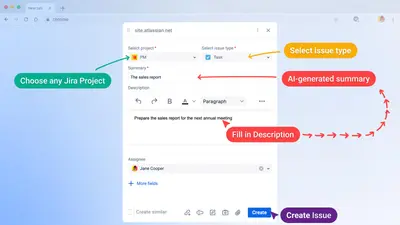
Create Jira issues from any browser tab with screenshots, annotations, screen recordings, drafts, and webpage links.
SaaSJetFreemium
Capture visual feedback and bug reports for websites and designs inside Jira.

TrackDuck lets users select an area of a website or design, add a comment, and create an issue with a screenshot and technical details. Issues remain attached to the page area where they were marked and can be managed there. It records desktop activity on live web pages through screen capture and animated GIFs. Designs or images can be uploaded for linked feedback, version storage, and change tracking.
Users can select an area of a website or design and add a comment to report an issue.
Each issue appears on the page area where it was highlighted and includes comments, a screenshot, and technical details.
TrackDuck records desktop activity on live web pages through screen capture and animated GIFs.
Users can upload designs or images, share a link, and collect feedback.
The add-in stores design versions and tracks changes over time.
TrackDuck is for web designers, developers, clients, teammates, and end users.
118 plugins in Jira · Design and diagramming
Price distribution: 36 free, 49 freemium, 33 paid
Create Jira issues from any browser tab with screenshots, annotations, screen recordings, drafts, and webpage links.
SaaSJet
Organizes Jira and JSM issues from multiple projects into shared queues with access controls and queue management.
Deviniti
Scheduled Jira exports create reports with custom fields, change history, and delivery by email, SFTP, download link, or API.
Advanced Insights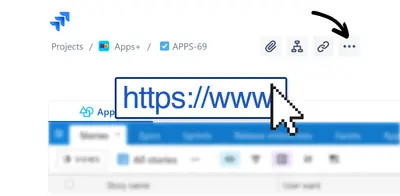
Embed shared Microsoft Power BI links in Jira issue tabs and dashboards with notes, images, PDFs, and other apps.
Apps+«Report bugs, give feedback and highlight issues on any existing website or design in seconds Select any area on the website and add a comment - that's it! View sessions of your clients and end users via WebRTC screen capturing and animated GIFs. Each issue is displayed directly on the page where you highlighted it and …»