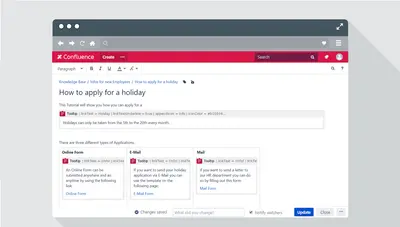
Tooltip for Confluence
Add customizable hover pop-ups to content in Confluence with the Tooltip macro.
EDAG Production Solutions GmbH & Co. KGFree
Add hover- or click-activated tooltips to Confluence content for extra context and information.

Tooltips for Confluence adds extra context and information to Confluence content. Tooltips can appear in different styles and open when a reader hovers over or clicks them. During editing, additional information is entered in a text field.
Tooltips can be displayed in various styles.
Tooltips can be activated by hovering or clicking.
Additional information is entered in a text field during editing.
Tooltips for Confluence is freemium and available on cloud, while Tooltip for Confluence is free and available on data-center and server. Dropdown for Confluence is free and cloud-based, whereas Tooltips for Confluence is freemium. Capable Formatting for Confluence (HTML, Buttons, Cards) is freemium and cloud-based, with an updated date of Aug 2026 compared with Sep 2026 for Tooltips for Confluence.
| Name | Pricing | Deployment | Updated |
|---|---|---|---|
| this plugin | Freemium | Cloud | |
| Tooltip for Confluence | Free | Data Center · Server | |
| Dropdown for Confluence | Free | Cloud | |
| Capable Formatting for Confluence (HTML, Buttons, Cards) | Freemium | Cloud |
990 plugins in Confluence · Content and communication
Price distribution: 228 free, 378 freemium, 384 paid
Add customizable hover pop-ups to content in Confluence with the Tooltip macro.
EDAG Production Solutions GmbH & Co. KG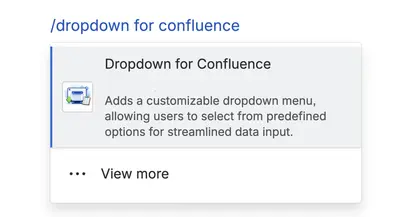
Add interactive dropdowns to Confluence pages to hide secondary information and reveal it on demand.
Ros Entertainment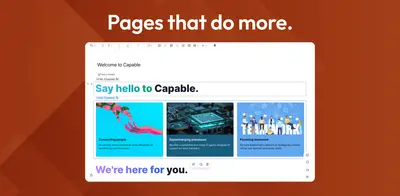
Adds visual, interactive, and documentation macros to Confluence pages, including buttons, cards, HTML, RSS feeds, and progress bars.
Capable
Creates AI-generated tooltips inside Confluence pages.
Apps+«Content Formatting Macros for Confluence Tooltip for Confluence lets you enrich your content by adding additional context and information neatly without overwhelming your audience. Key Features: Versatile Display: Tooltips can be displayed in various styles, and they can be activated by hovering or clicking to access …»