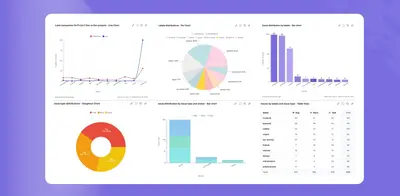
Charts - Reports and Graphs for Jira Dashboard
Create Jira dashboard charts and reports from issue data using multiple visual formats and filters.
Yamuno SoftwareFree
Reports Jira issue time by comparing spent and logged time with filters and work schedules.
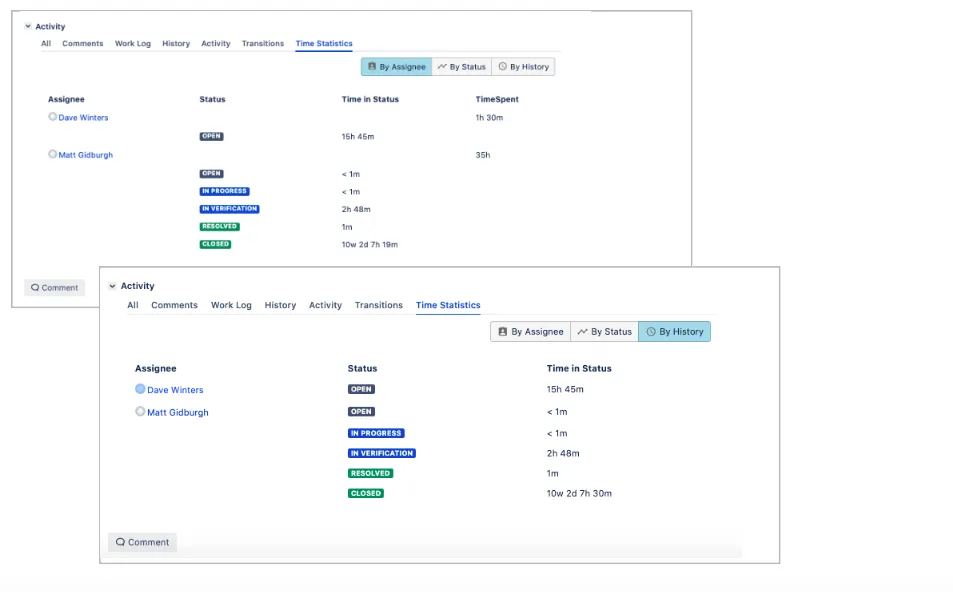
Reports compare the time an issue spent with time logged by each assignee. Filters include basic search, advanced search, Jira filters, and issue history. Reports can group data by assignee, status, or history and include only working time. Jira issue views add a tab for time statistics, while custom reports offer different modes and view types.
Compares time spent on an issue with time logged by each assignee.
Supports basic search, advanced search, and Jira filters.
Groups report data by assignee, status, or history.
Filters reports using issue history.
Limits reports to working time.
Creates calendars for working schedules.
Time Spent is free and runs on data-center and server, while Charts - Reports and Graphs for Jira Dashboard is free and cloud-only. Time Spent was updated in Dec 2025, while Issue History Collector - See History was updated in Jul 2026 and supports cloud, server, and data-center deployment.
| Name | Pricing | Deployment | Updated |
|---|---|---|---|
| this plugin | Free | Data Center · Server | |
| Charts - Reports and Graphs for Jira Dashboard | Free | Cloud | |
| Issue History Collector - See History | Freemium | Cloud · Data Center · Server |
630 plugins in Jira · Data and analytics
Price distribution: 189 free, 230 freemium, 211 paid
Create Jira dashboard charts and reports from issue data using multiple visual formats and filters.
Yamuno Software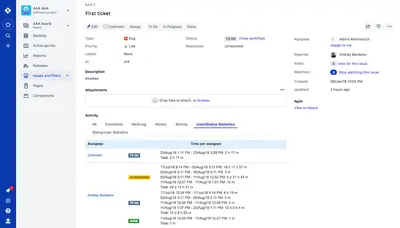
Track Jira issue time by status and assignee, monitor ticket age, and view progress through configurable reports.
Appfire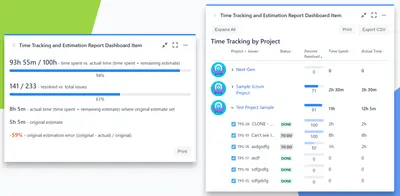
Compare Jira time estimates with time spent and remaining work in a dashboard gadget.
Agilis LT (Simple Reports)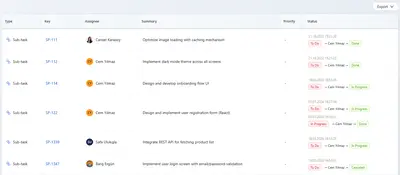
Track Jira issue changes, workflow durations, assignee time, and report exports.
Athena IT Solutions«Features do not end on that. More useful features available: 3 modes of filtering (Basic search, Advanced search, Jira filters support) Aggregation by assignee, status or history Filtering by issue history Include only working time into the report Create working schedule calendars Issue view: Observe issue’s time …»