
Queues for Jira & JSM
Organizes Jira and JSM issues from multiple projects into shared queues with access controls and queue management.
DevinitiFreemium
Assigns Jira rewards to users selected through JQL filters and winning algorithms.
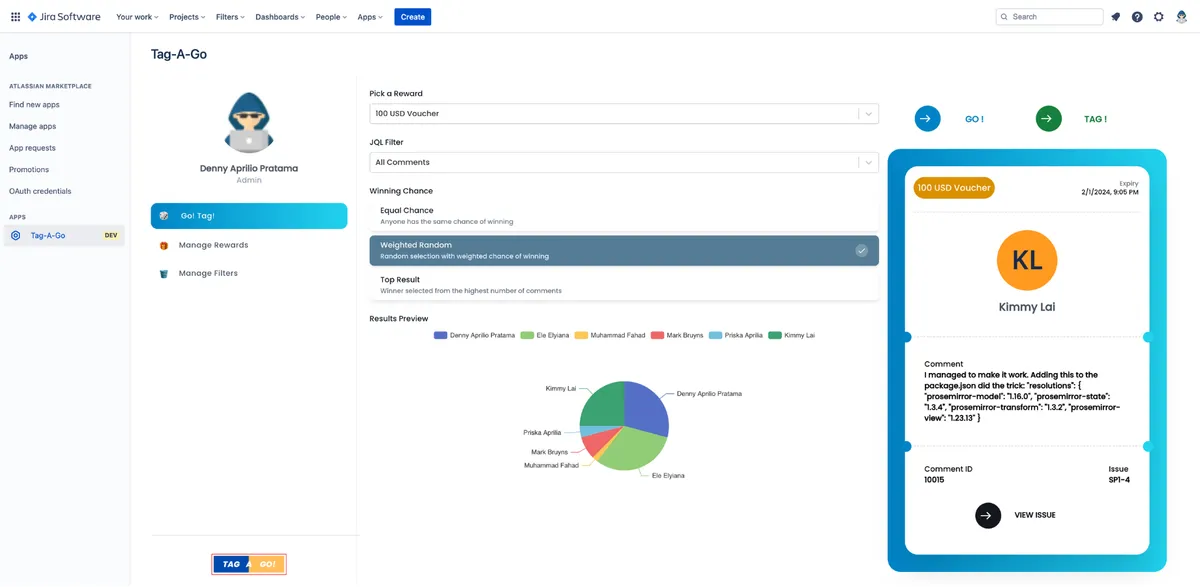
Tag-A-Go lets admins configure rewards and JQL filters in Jira. A reward is selected, followed by a JQL filter and a winning algorithm: Top, Weighted Random, or Equal Chance Random. The plugin runs the filter and algorithm, then tags the winning user to the reward.
Admins can configure rewards for users.
Admins can select JQL filters to identify users eligible for awards.
The plugin supports Top, Weighted Random, and Equal Chance Random algorithms.
The plugin tags the winning user to the selected reward.
Admins and users.
93 plugins in Jira · HR and team building
Price distribution: 32 free, 32 freemium, 29 paid
Organizes Jira and JSM issues from multiple projects into shared queues with access controls and queue management.
Deviniti
Scheduled Jira exports create reports with custom fields, change history, and delivery by email, SFTP, download link, or API.
Advanced Insights
Embed shared Microsoft Power BI links in Jira issue tabs and dashboards with notes, images, PDFs, and other apps.
Apps+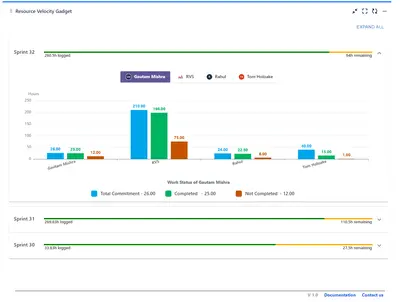
Track sprint progress and team velocity in Jira with dashboard gadgets, charts, and status views.
RVS Softek«Once the Rewards and JQL Filters have been configured (see Admin Guide. ), Rewards may be awarded to Users by following the steps below. Step 1 - Select Reward Step 2 - Select JQL Filter Step 3 - Select Winning Algorithm (Top, Weighted Random, or Equal Chance Random) Step 4 - Go! to run the Filter and Algorithm Step 5 …»