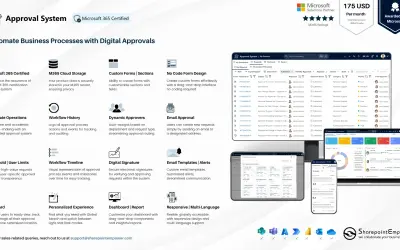
Approval System
Manages requests and approvals for companies on Microsoft platforms, with SharePoint web part and multi-language support.
SharepointEmpower Private LimitedPrice not published
Hide and unhide SharePoint lists and libraries from Site Contents.
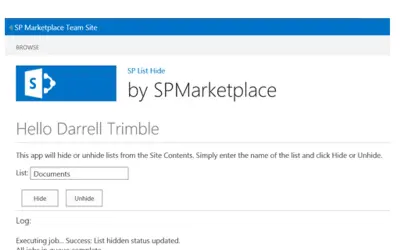
Hides lists and libraries from SharePoint Site Contents. Hidden items can be displayed again later. The app can be used for lists that configure third-party tools and should not appear in Site Contents.
Hides lists from SharePoint Site Contents.
Hides libraries from SharePoint Site Contents.
Displays hidden lists or libraries in Site Contents again.
493 plugins in SharePoint · Data Management
Price distribution: 6 free, 6 freemium, 167 paid, 314 price not published
Manages requests and approvals for companies on Microsoft platforms, with SharePoint web part and multi-language support.
SharepointEmpower Private Limited
Fully managed AI chatbot for SharePoint, powered by Claude, that answers from your documents with no API key required.
OBTechnologies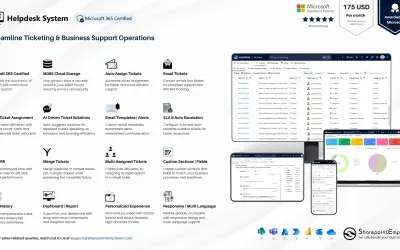
A cloud-based ticket management system for Microsoft platforms that centralizes support tasks and tracks resolution times.
SharepointEmpower Private Limited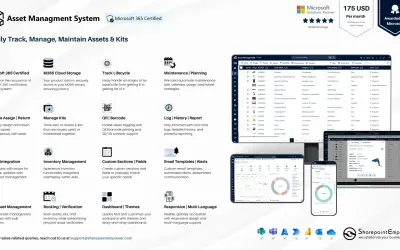
Tracks physical and digital assets across their lifecycle, including location, cost, and renewal data, for Microsoft platforms.
SharepointEmpower Private Limited«This simple and easy to use app allows you to hide lists/ libraries from the Site Contents. If you wish to display that list or library later, you can unhide it as well. This can be a very useful administrative tool for situations where you have a list that is used for configuration of 3rd party tools, that you do not …»