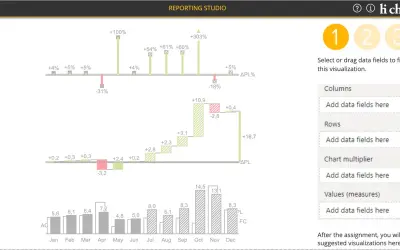
hi-chart Reporting Studio
Creates charts, tables and waterfalls in Power BI with a built-in notation concept and automatic variance calculation.
CP Corporate Planning GmbHFreemium
Analyze Excel tables with suggested charts, trends, filters, and time-based views in a Task Pane.
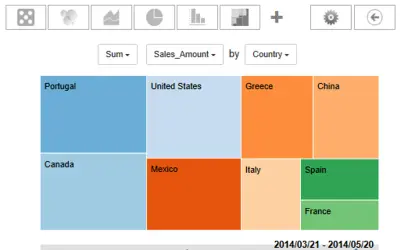
Analyzes Excel tables in an Excel Task Pane. It offers automatic chart suggestions, Excel filter support, and automatic date and time handling. Chart options include trend, bubble, pie, tree map, weekday, time-of-day, stacked area, random, and multi-chart charts. Play mode lets users watch their data over time.
Provides random, stacked area, bubble, pie, tree map, trend, and multi-chart charts.
Includes weekday and time-of-day charts.
Suggests charts automatically for Excel tables.
Handles dates and times automatically.
Supports filtering through Excel filters.
Lets users watch their data over time in Play mode.
446 plugins in Excel · Analytics
Price distribution: 8 free, 17 freemium, 142 paid, 279 price not published
Creates charts, tables and waterfalls in Power BI with a built-in notation concept and automatic variance calculation.
CP Corporate Planning GmbH
Button-based slicer for Power BI that can be arranged horizontally or as a matrix, with cross highlighting and image support.
Microsoft Corporation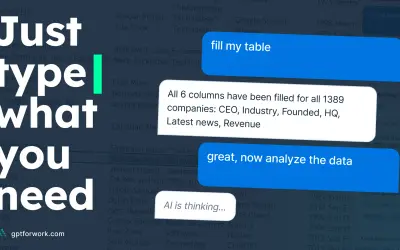
Automates formulas, data cleanup, reporting, and bulk row-by-row tasks in Microsoft Excel from plain-language prompts.
TALARIAN S. à r.l.
Artemis Sheets pulls blockchain, protocol, and stablecoin metrics into Excel workbooks using CapIQ-like formula syntax.
Artemis Analytics«Additional purchase may be required. This app version of SmartCharts *is not free* and requires proper license to be fully enabled after trial period. Please visit DevScope AppStore to know more. This version of SmartCharts runs as a Task Pane in Excel. SmartCharts is also available in Content mode (insertable shape) …»