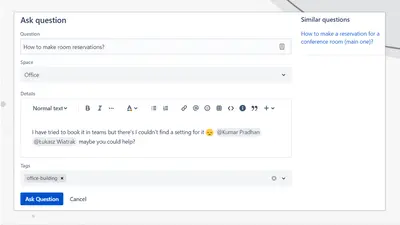
Community Questions for Confluence
Adds a searchable Q&A forum to Confluence with voting, tags, permissions, and notifications.
FirnityFreemium
Display server status checks in Confluence using HTTP, HTTPS, and SMTP macros.

Adds server status macros to Confluence pages. HTTP macros check a URL or compare its content using text or regular expressions. An SMTP macro checks an SMTP server with supplied credentials. A container combines results from multiple status macros and displays them as text or a table.
Checks the HTTP status of a specified URL.
Checks URL content using text or regular expression comparisons.
Checks an SMTP server using supplied credentials.
Collects results from included status macros and displays them as status text or a table.
47 plugins in Confluence · IT support and service
Price distribution: 23 free, 8 freemium, 16 paid
Adds a searchable Q&A forum to Confluence with voting, tags, permissions, and notifications.
Firnity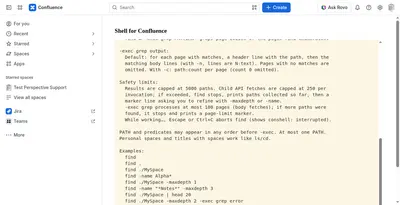
Manage Confluence pages through a command-line-style console for navigation, search, viewing, copying, and moving.
Kenputer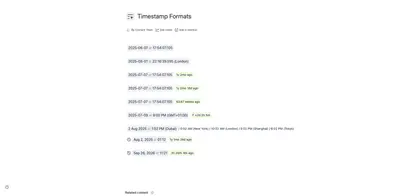
Adds natural-language timestamps, timezone conversions, countdowns, and ISO copying to Confluence pages.
Crenwiz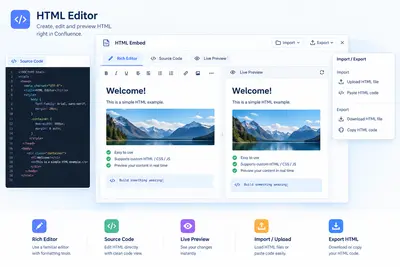
Embed HTML, iframe content, and Confluence Query Language searches in Confluence pages.
Come2Solution«See at a glance the current status of all servers. Currently supported protocols are HTTP, HTTPS, SMTP (SSL, TLS). This plugin is in german and english. Help us your feedback plugin on your needs to evolve. After installation you will find the macros in the macro browser (Edit page»