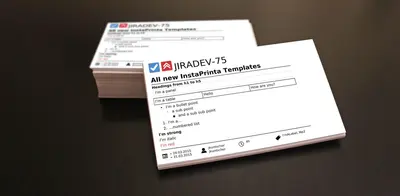
InstaPrinta - Issue Print Templates for Jira
Print Jira issues as PDF cards using configurable templates and direct printer output.
SeibertPaid
Record daily Scrum standup reports in Jira, link them to issues, and read or comment on project reports.
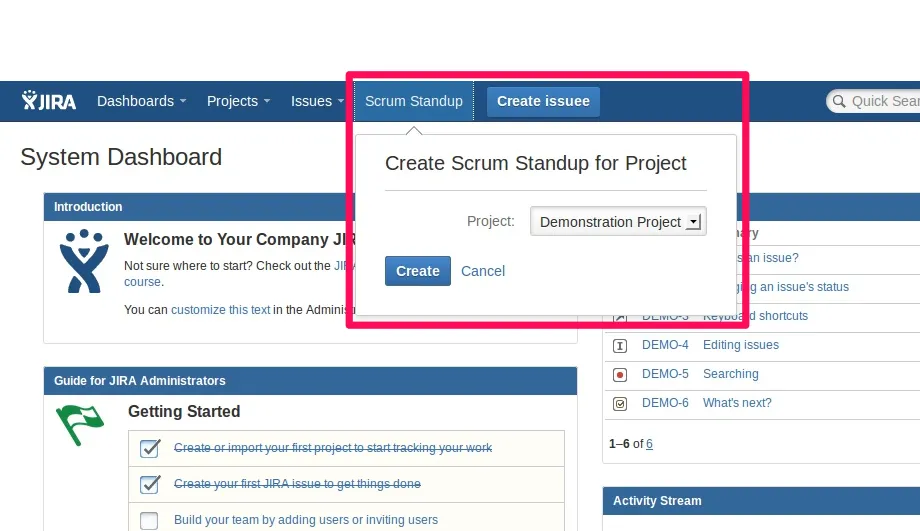
Scrum Standup for Jira lets users write daily standup reports and link them with Jira issues. Reports appear on project screens, issue screens, and user profiles. Users can read and comment on project reports, browse earlier dates, and receive email notifications. Reports include Done, Todo, and Impediments fields.
Users can create daily reports with Done, Todo, and Impediments fields.
Standup reports can be linked to recently updated issues or issues found by key or search.
Reports are visible from project screens, linked issue screens, and user profiles.
Team members can discuss work done, todos, and impediments in comments.
Project reports can be read by moving between dates or selecting a specific date.
The plugin can send email notifications about team progress.
The plugin is named for remote teams, managers, product owners, Scrum Masters, team members, developers, and supporters.
1,328 plugins in Jira · Project Management
Price distribution: 444 free, 418 freemium, 466 paid
Print Jira issues as PDF cards using configurable templates and direct printer output.
Seibert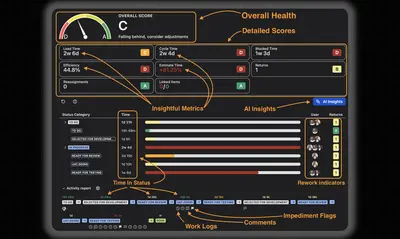
Grades Jira issues and sprints from A to D using eight delivery metrics and provides Rovo AI recommendations.
Release ManagementManage Jira standups with scheduled meetings, update forms, issue links, reports, exports, and participation insights.
Applifare TechnologiesAutomates Jira workflows and surfaces project data from connected development and communication tools.
Mastermind Assistant«Scrum Standup plugin for Jira is what you need to share your daily reports with remote team members (Manager, Product Owner, Scrum Master and Team Mates). You can simply write down your daily Standup report and link it with issues. Written Standup is visible on: Project screen - entire team Standup for the project …»