
Appvibe CircleCI Integration
Connects CircleCI builds, deployments, code reports, and pipelines with Jira projects.
AppvibeFree
Monitor Bitbucket Cloud pipeline activity from multiple repositories within Jira Cloud.
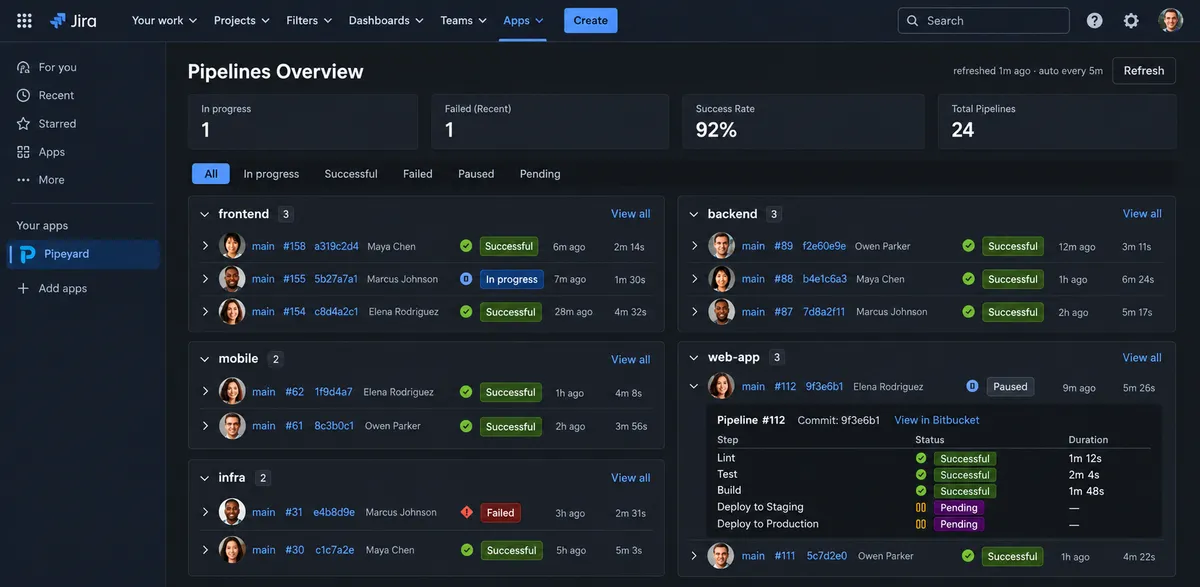
Pipeyard displays Bitbucket Cloud pipeline activity in Jira Cloud for repositories in a workspace. It shows run statuses, step status and duration, self-hosted runner information, and links to related Bitbucket pipelines, branches, or commits. Refresh intervals can be set to 1, 2, 5, or 10 minutes.
Displays recent pipeline runs from all repositories in a Bitbucket workspace.
Filters runs by in-progress, successful, failed, paused, or pending status.
Shows the status and duration of steps within a selected pipeline run.
Displays self-hosted runner status, labels, versions, and last update times.
Offers automatic refresh options of 1, 2, 5, or 10 minutes.
Provides links to the related pipeline, branch, or commit in Bitbucket.
534 plugins in Jira · Software development
Price distribution: 254 free, 117 freemium, 163 paid
Connects CircleCI builds, deployments, code reports, and pipelines with Jira projects.
Appvibe
Displays GitHub and Bitbucket commits, pull requests, pipelines, and build results in Jira dashboard gadgets.
StonikByte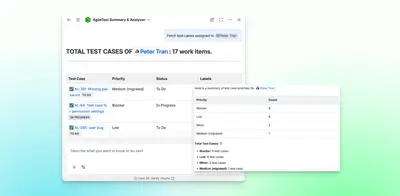
Summarizes and analyzes AgileTest test data in Jira.
DevSamurai
Adds a Jira issue panel for linked TestPlanIt cases, run results, and exploratory testing progress.
TestPlanIt«Pipeyard brings Bitbucket Cloud pipeline activity into Jira Cloud, giving teams one place to see what’s running, what failed, and what needs attention across multiple repositories. • View recent Bitbucket Pipeline runs across all repositories in your workspace • See in-progress builds, recent failures, and success …»