
Queues for Jira & JSM
Organizes Jira and JSM issues from multiple projects into shared queues with access controls and queue management.
DevinitiFreemium
Connects Jira with team chats and meetings to capture updates, update work items, and send alerts.
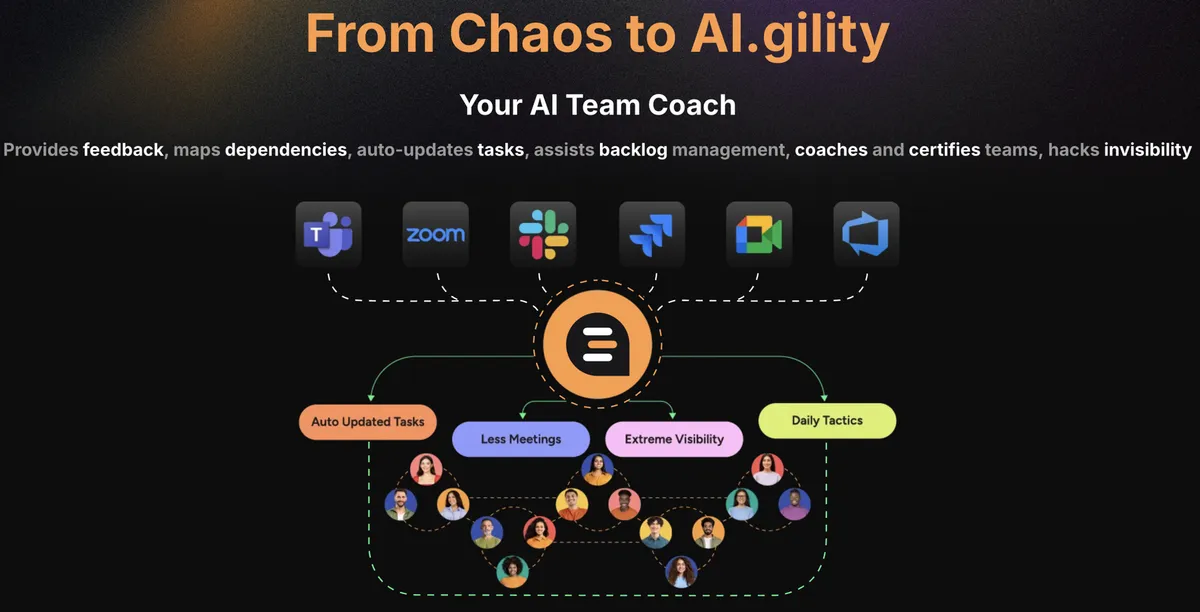
oNabu connects Jira, Azure DevOps, chat tools, and meeting platforms. It joins team channels, stand-ups, plannings, retrospectives, refinements, and one-to-one meetings. It captures updates, blockers, and topics from conversations, then updates Jira or Azure DevOps. It also sends alerts, reports, and recommendations for task statuses and comments.
Connects Jira, Azure DevOps, Slack, Zoom, Meet, or Teams.
Joins stand-ups, plannings, retrospectives, refinements, and one-to-one meetings.
Captures updates, blockers, and key topics from team conversations.
Updates Jira and Azure DevOps based on captured information.
Sends alerts, reports, and prompts.
Provides feedback for individual team members and recommendations for task statuses and comments.
For Agile teams, team members, and AI-first organizations.
oNabu AI is listed as freemium and cloud, while Quely for Jira is listed as free and cloud. oNabu AI was updated in May 2026, compared with Oct 2025 for Quely for Jira.
| Name | Pricing | Deployment | Updated |
|---|---|---|---|
| this plugin | Freemium | Cloud | |
| Quely for Jira | Not in catalog | ||
1,328 plugins in Jira · Project Management
Price distribution: 444 free, 418 freemium, 466 paid
Organizes Jira and JSM issues from multiple projects into shared queues with access controls and queue management.
Deviniti
Scheduled Jira exports create reports with custom fields, change history, and delivery by email, SFTP, download link, or API.
Advanced Insights
Embed shared Microsoft Power BI links in Jira issue tabs and dashboards with notes, images, PDFs, and other apps.
Apps+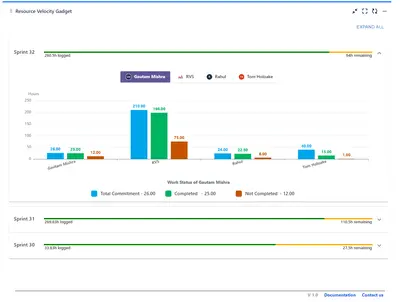
Track sprint progress and team velocity in Jira with dashboard gadgets, charts, and status views.
RVS Softek«Onboard oNabu Set up your workspace integrations (Jira, Azure DevOps, Slack, Zoom, Meet or Teams) Execute in minutes, no configs, no chaos Just connect and let oNabu do the heavy lifting Step 2: Introduce your Team Assign oNabu to your team Define roles and preferences, so coaching is personalized Add events and …»