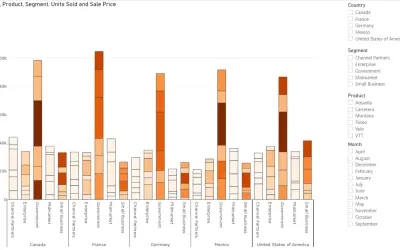
Power Plot Visual by Akvelon
Creates visualizations from diverse chart types, combines multiple charts on one canvas, and adds custom annotations and tooltips.
AkvelonFreemium
Displays target-based KPI percentages, optional trend areas, and threshold-dependent images.
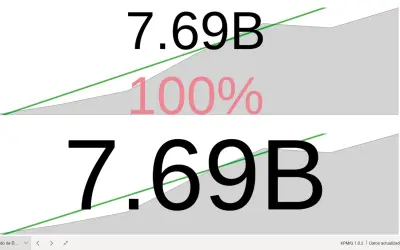
Displays a percentage calculated from a value and a target. An attribute may be shown in an area chart below the percentage, while configured images change according to a selected percentage threshold.
Presents a KPI percentage based on a value compared with a target.
Shows an attribute in an area chart beneath the percentage.
Displays one of two configured images depending on whether the percentage is above or below the selected threshold.
2,531 plugins in Analytics
Price distribution: 125 free, 147 freemium, 1,350 paid, 909 price not published
Creates visualizations from diverse chart types, combines multiple charts on one canvas, and adds custom annotations and tooltips.
Akvelon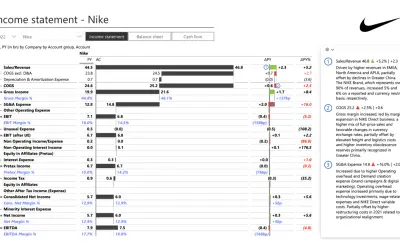
Creates financial and business reports in Power BI with automatic variance calculations, P&L logic, and drill-down (s5, s6).
Zebra BI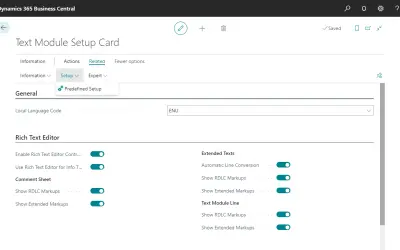
COSMO Text Module provides extended text management with a WYSIWYG editor for Microsoft Dynamics 365 Business Central.
COSMO CONSULT
Discover the why behind your data.
Data Courage«This visual shows a KPI as a percentage from a value over a target. You can add an attribute as thrend axis (showed as area chart under the percentabe). Also you can configure two images and the percent value that makes you see one image (the image OK) if you are over that percent or the other image (KO imgame) if you …»