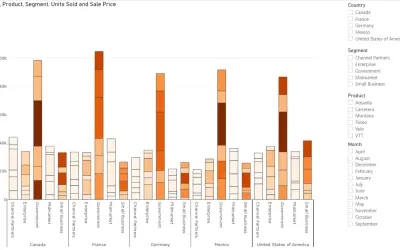
Power Plot Visual by Akvelon
Creates visualizations from diverse chart types, combines multiple charts on one canvas, and adds custom annotations and tooltips.
AkvelonFreemium
Display comparative KPI values in overlapping circles within a dashboard.
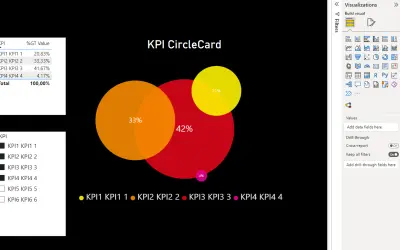
Displays KPI values in overlapping circles for a compressed comparison view. Dashboard settings control font size and color, circle layout, scaling, and circle properties. Options include margin, angle offset, minimum radius, convergence radius, color, and angle.
Shows KPI values using overlapping circles for comparative display.
Adjusts the legend font size and color.
Controls the margin between circles and the border and sets the circle angle offset.
Sets the minimum circle radius and the radius level for minimal values.
Adjusts circle color and angle.
2,531 plugins in Analytics
Price distribution: 125 free, 147 freemium, 1,350 paid, 909 price not published
Creates visualizations from diverse chart types, combines multiple charts on one canvas, and adds custom annotations and tooltips.
Akvelon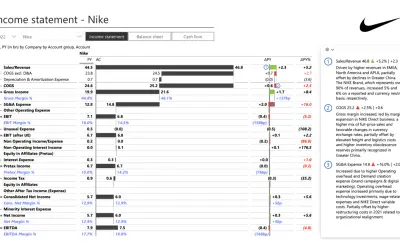
Creates financial and business reports in Power BI with automatic variance calculations, P&L logic, and drill-down (s5, s6).
Zebra BI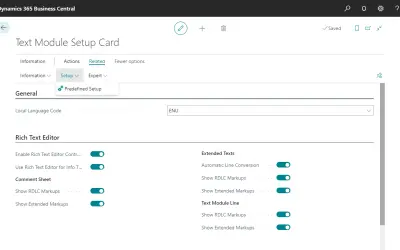
COSMO Text Module provides extended text management with a WYSIWYG editor for Microsoft Dynamics 365 Business Central.
COSMO CONSULT
Discover the why behind your data.
Data Courage«The KPI CircleCard visual allows you to display KPI values in a comparative, yet compressed manner since circles are overlapping. This visual might also be considered more "joyful", giving your dashboard a fresh look. The dashboard has many settings to adjust the presentation to your needs: You can change; the font; - …»