AtlassianNP
Mercury for Jira
Extend and automate Jira workflows with Groovy or another compatible JSR 223 scripting engine.
NWGG Pty LtdPaid
Deploy Jira workflows and related fields, screens, statuses, scripts, and settings across environments.
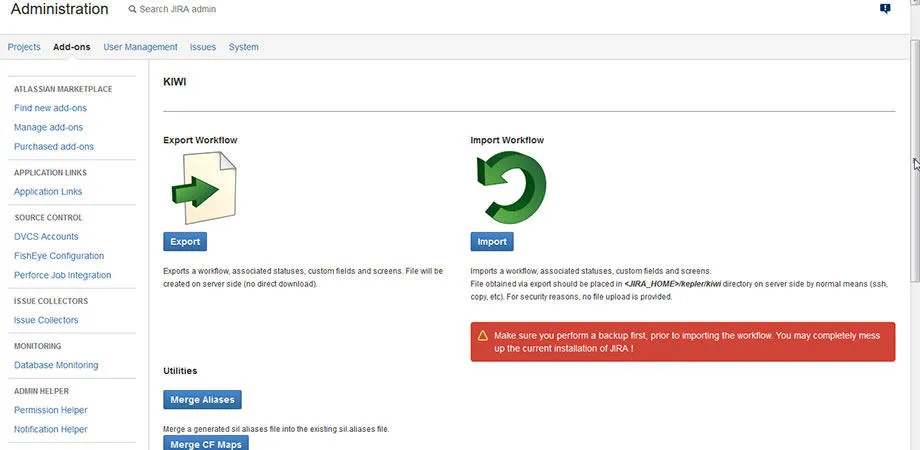
KIWI transfers Jira workflows and related custom fields, statuses, screens, SIL scripts, and configurations between staging and production environments. Transfers can cover all issue types or be filtered by issue type. Custom fields and screens can be merged or replaced, with resulting actions listed for execution in the target Jira. The app also creates mapping files and SIL aliases, and runs SIL scripts at the start and end of a workflow.
Moves Jira workflows between staging and production environments.
Transfers custom fields and associated screens with options to merge or replace them.
Filters exported content by issue type or includes the complete set.
Moves SIL scripts with workflows and runs them at workflow start and finish.
Creates mapping files and SIL aliases for the transfer process.
KIWI is a paid add-in for Jira Server, while User Management for Jira is a paid cloud add-in. KIWI shows an update date of Apr 2019, while User Management for Jira shows Jun 2026.
| Name | Pricing | Deployment | Updated |
|---|---|---|---|
| this plugin | Paid | Server | |
| User Management for Jira | Paid | Cloud |
1,002 plugins in Jira · Administrative tools
Price distribution: 271 free, 275 freemium, 456 paid
Extend and automate Jira workflows with Groovy or another compatible JSR 223 scripting engine.
NWGG Pty Ltd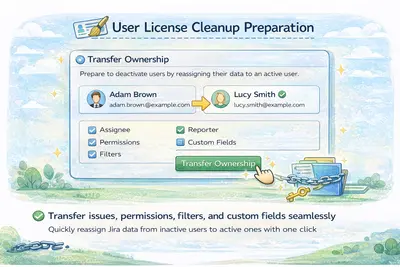
Manage Jira users and groups with CSV import/export, bulk edits, account merging, and license cleanup tools.
Come2Solution
Organizes Jira and JSM issues from multiple projects into shared queues with access controls and queue management.
Deviniti
Scheduled Jira exports create reports with custom fields, change history, and delivery by email, SFTP, download link, or API.
Advanced Insights«KIWI is a Jira workflow deployment tool that addresses the initial configuration as well as subsequent deployments on staging and production environments. No change is needed on the deployment machine: your implementation will be ready to go with just a few clicks. Use cases: Import and export workflows, custom …»