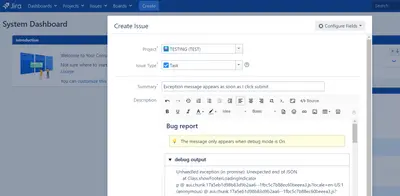
JEditor - Rich Text Editor for Jira
Edit Jira fields with rich text, formatted content, templates, images, tables, checkboxes, mentions, and file uploads.
BobronixPaid
Add JEditor-compatible custom fields to Jira Cloud for Jira Data Center and Server field migrations.
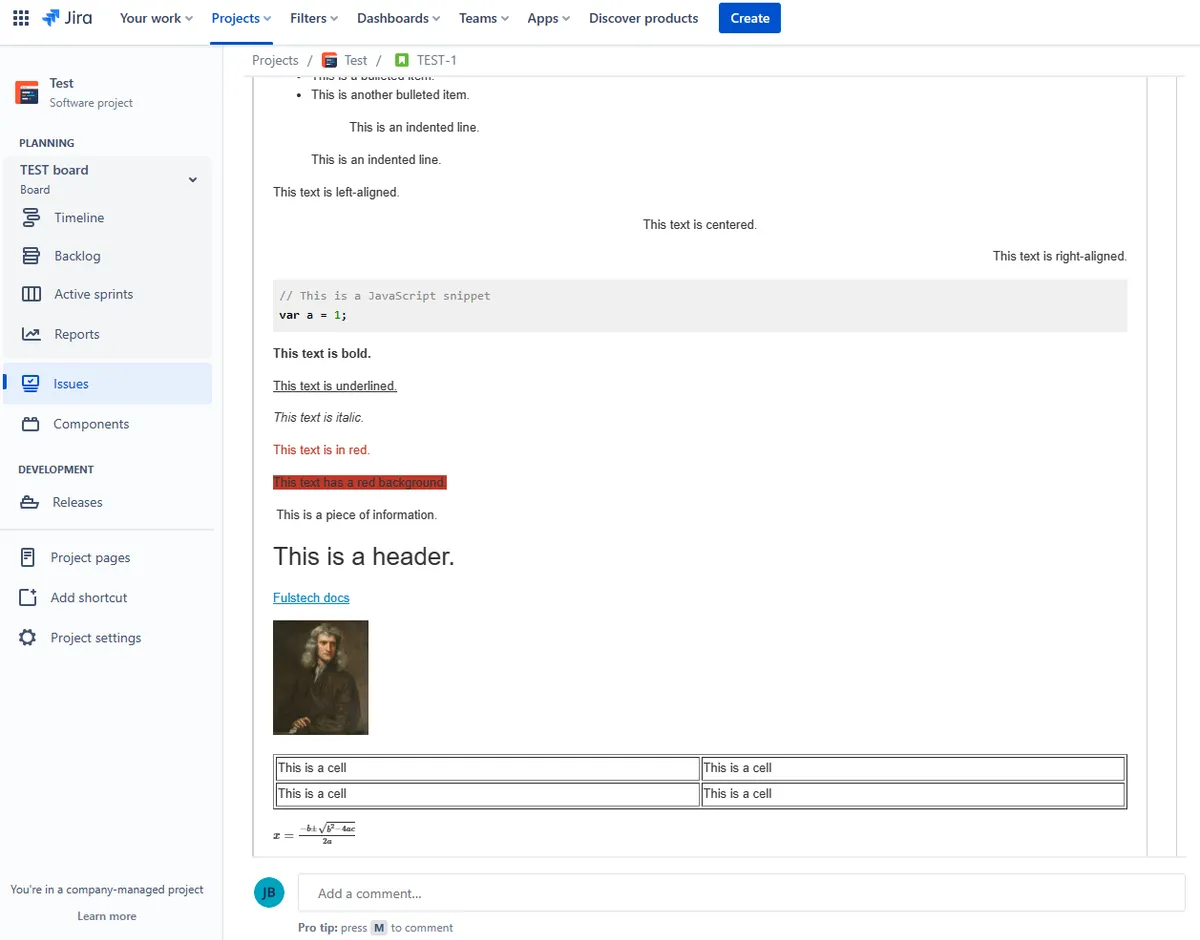
Provides JEditor-compatible custom fields for Jira Cloud for migration from Jira Data Center or Jira Server. Features include rich text formatting, tables, LaTeX, code snippets, templates, and fullscreen mode.
Supports rich text format in Jira Cloud custom fields.
Supports tables in custom fields.
Supports LaTeX content.
Supports code snippets.
Supports templates.
Provides a fullscreen mode.
This listing uses a freemium pricing model, while JEditor - Rich Text Editor for Jira is paid. It is deployed in the cloud, while JEditor - Rich Text Editor for Jira is deployed for data-center and server environments.
| Name | Pricing | Deployment | Updated |
|---|---|---|---|
| this plugin | Freemium | Cloud | |
| JEditor - Rich Text Editor for Jira | Paid | Data Center · Server |
505 plugins in Jira · Content and communication
Price distribution: 127 free, 198 freemium, 180 paid
Edit Jira fields with rich text, formatted content, templates, images, tables, checkboxes, mentions, and file uploads.
Bobronix
Organizes Jira and JSM issues from multiple projects into shared queues with access controls and queue management.
Deviniti
Scheduled Jira exports create reports with custom fields, change history, and delivery by email, SFTP, download link, or API.
Advanced Insights
Embed shared Microsoft Power BI links in Jira issue tabs and dashboards with notes, images, PDFs, and other apps.
Apps+«The existing JEditor plugin only support Jira Data Center or Jira Server. It's therefore impossible to migrate JEditor custom fields to Jira Cloud. This Jira Cloud app provides JEditor-compatible custom fields to ease the migration from Jira Data Center or Server to Jira Cloud. Features: Rich text format Tables LaTeX …»