
Queues for Jira & JSM
Organizes Jira and JSM issues from multiple projects into shared queues with access controls and queue management.
DevinitiFreemium
Create an interactive force-directed graph of issues linked to one Jira issue.
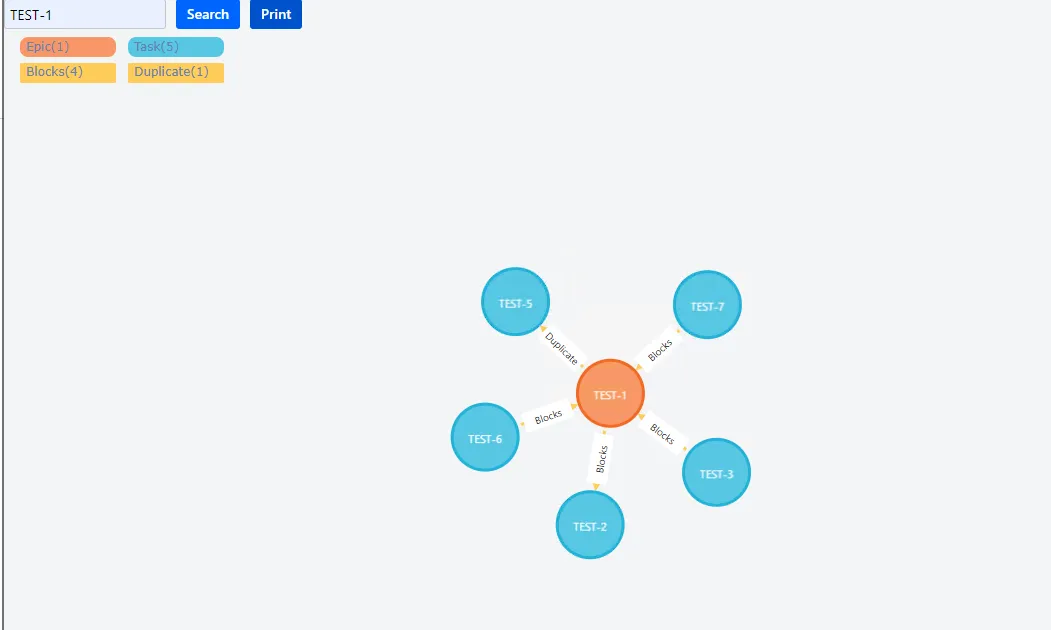
Creates an interactive force-directed graph from one Jira issue and its linked issues. Issues can be deleted, unlocked, expanded, or grouped to show additional nodes. Node and link colors, sizes, widths, and captions can be changed by issue or link type. Graphs can be printed, and issues can include hyperlinks.
Builds a force-directed graph from one issue and its linked issues.
Allows issues in the graph to be deleted, unlocked, expanded, or grouped.
Changes node and link colors, sizes, widths, and captions by issue or link type.
Prints the issue graph for reference.
Adds hyperlinks to issues in the graph.
118 plugins in Jira · Design and diagramming
Price distribution: 36 free, 49 freemium, 33 paid
Organizes Jira and JSM issues from multiple projects into shared queues with access controls and queue management.
Deviniti
Scheduled Jira exports create reports with custom fields, change history, and delivery by email, SFTP, download link, or API.
Advanced Insights
Embed shared Microsoft Power BI links in Jira issue tabs and dashboards with notes, images, PDFs, and other apps.
Apps+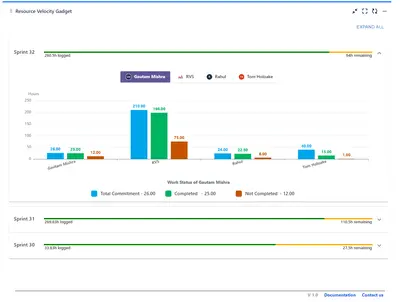
Track sprint progress and team velocity in Jira with dashboard gadgets, charts, and status views.
RVS Softek«The Issue Force-Directed Graph comes with all of these great features:Fast Create a Force-Directed GraphDelete, Unlock and Expand based one Issue(node)Circle/Link Color, Size, Caption Change Print and hyperlink for Issues Fast Create a Force-Directed Graph: You can find all issues linked to one issue, and print out …»