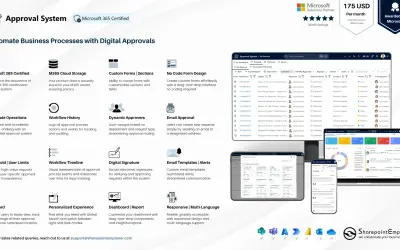
Approval System
Manages requests and approvals for companies on Microsoft platforms, with SharePoint web part and multi-language support.
SharepointEmpower Private LimitedPrice not published
Displays and rotates images from SharePoint picture libraries with configurable effects, timing, navigation, dimensions, and sorting.

Displays images from a SharePoint picture library in a sliding and rotating display. It provides slider effects, configurable intervals between images, and selectable navigation types. The display can show a specified number of images, use adjustable dimensions, and sort images by metadata.
Provides slider effects including Fade, Random Smart, and Cube Stop.
Sets the time interval between images.
Sets the number of images shown in the slider from a picture library.
Allows selection of the slider navigation type.
Allows the app dimensions to be adjusted.
Sorts displayed images by a metadata property.
Accepts any picture library as the image data source.
29 plugins in SharePoint · Sales
Price distribution: 2 free, 1 freemium, 11 paid, 15 price not published
Manages requests and approvals for companies on Microsoft platforms, with SharePoint web part and multi-language support.
SharepointEmpower Private Limited
Fully managed AI chatbot for SharePoint, powered by Claude, that answers from your documents with no API key required.
OBTechnologies
A cloud-based ticket management system for Microsoft platforms that centralizes support tasks and tracks resolution times.
SharepointEmpower Private Limited
Tracks physical and digital assets across their lifecycle, including location, cost, and renewal data, for Microsoft platforms.
SharepointEmpower Private Limited«This is a SharePoint hosted app based on simple HTML and JavaScript provides image sliding & rotating capabilities in a very innovative and unique way. Features : Half dozen attractive slider effects to choose from ie Fade, Random Smart, Cube Stop. Controllable time interval between different images. Option to enter …»