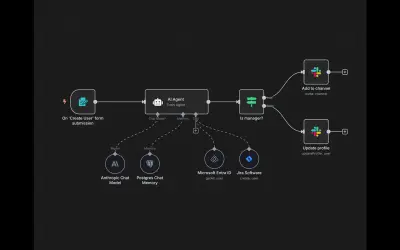
n8n
n8n is a workflow automation and AI app platform that connects APIs and internal tools for business processes.
n8n GmbHPaid
Visualizes weighted relationships and flows between items in Power BI with a force-directed graph.
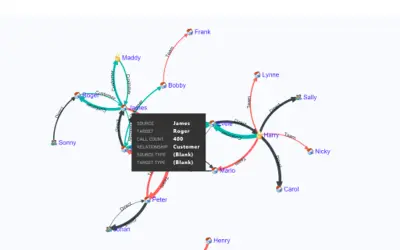
Displays relationships between items as nodes connected by curved paths. Path thickness represents relationship weight. The visual arranges nodes to reduce crossings and allows manual repositioning by dragging. It can use two dimensions and one measure, or a single column.
Curved path thickness represents the weight of the relationship between nodes.
A D3 force layout positions nodes in the graph.
Nodes can be repositioned manually by dragging them.
The visual supports two dimensions and one measure, and also works with a single column.
51 plugins in GitHub · Analytics
Price distribution: 1 free, 2 freemium, 42 paid, 6 price not published
n8n is a workflow automation and AI app platform that connects APIs and internal tools for business processes.
n8n GmbH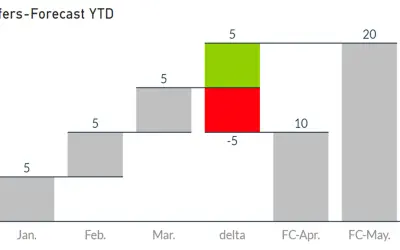
Waterfall-Visual-Extended renders waterfall and bridge charts with delta elements, custom bars, and configurable labels and axes.
Auxil Management GmbH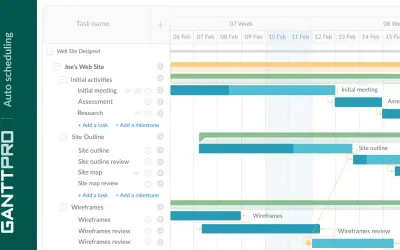
Task, resource, cost, and deadline management with team collaboration in GanttPRO, an online project management solution.
XB Software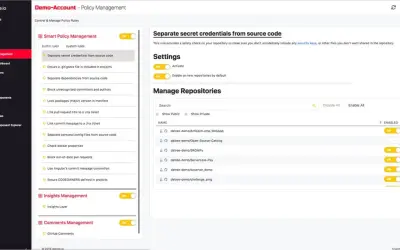
Datree Smart Policy provides automatic policy compliance checks and insights for every GitHub code commit across an organization.
Datree«The ability to visualize the relationship between items, the weightage of the relationship and the flow often brings out the untold insights into limelight, which are otherwise not very evident. Simple numbers and basic charts won’t be enough to discover and tell such data stories. We need new visualization techniques …»