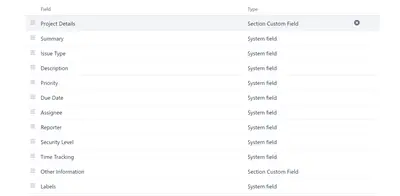
Section Custom Field
Adds section markers to Jira Service Desk forms so users can see different form areas.
Eli SolutionsPaid
Create expression-based columns for Jira issue search results and display saved-filter views on dashboards.
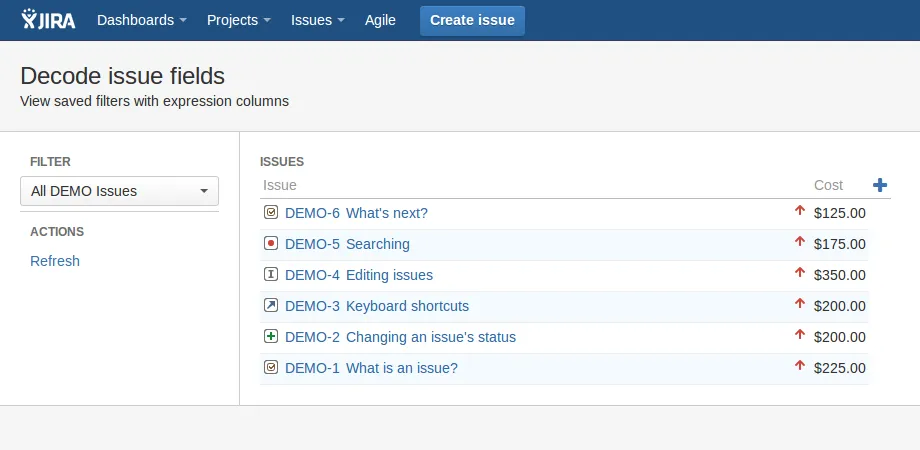
Expression Columns for Jira adds a menu item for building custom views of issue search results without admin rights. Each column combines a template with an optional expression to format issue field values. Views can be added to a Jira dashboard as a gadget, and columns can be created or updated.
Creates user-defined columns for Jira issue search results using templates and optional expressions.
Updates the template and expression used by an expression column.
Adds saved issue-filter views with expression columns to a Jira dashboard as a gadget.
1,002 plugins in Jira · Administrative tools
Price distribution: 271 free, 275 freemium, 456 paid
Adds section markers to Jira Service Desk forms so users can see different form areas.
Eli Solutions
Organizes Jira and JSM issues from multiple projects into shared queues with access controls and queue management.
Deviniti
Scheduled Jira exports create reports with custom fields, change history, and delivery by email, SFTP, download link, or API.
Advanced Insights
Embed shared Microsoft Power BI links in Jira issue tabs and dashboards with notes, images, PDFs, and other apps.
Apps+«App allows to define instant columns for issues search results, with no need for admin rights. When installed app adds 'Issues - Decode issue fields' menu item. It provides page where you can build your own views for issue search results with expression columns. Such views may be added to Jira dashboard as gadget …»