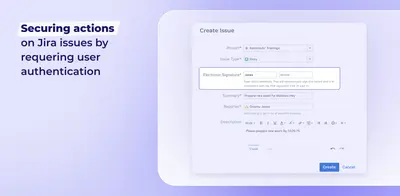
Electronic Signature for Jira
Requires electronic signatures for Jira issue transitions and changes, with authentication, activity history, snapshots, and access-attempt logs.
DevinitiPaid
Adds credential validation and electronic signature history to Jira issue workflows.
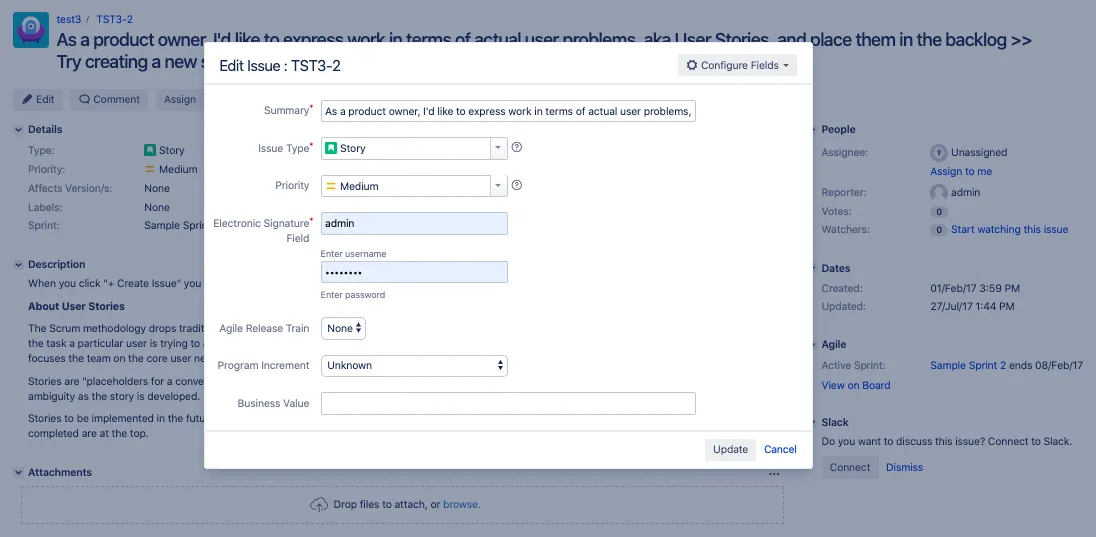
Electronic Signatures adds custom fields for validating credentials when editing Jira issues. It supports validation of a system user's username and password, or the password of the currently logged-in user. A separate issue tab displays signature history, and tickets can be filtered by signing users. The vendor states that the app complies with 21 CFR Part 11.
The User Validator Field checks a system user's username and password.
The Logged User Validator Field checks the password of the currently logged-in user.
The issue tab panel displays information about signatures recorded on an issue.
Search can filter tickets by the users who signed them.
Electronic Signatures is a paid Jira add-in available on data center, cloud, and server. Electronic Signature for Jira is also paid and supports data center and server, while BeyondTrust Privileged Remote Access Integration for Jira is paid and supports cloud.
| Name | Pricing | Deployment | Updated |
|---|---|---|---|
| this plugin | Paid | Cloud · Data Center · Server | |
| Electronic Signature for Jira | Paid | Data Center · Server | |
| BeyondTrust Privileged Remote Access Integration for Jira | Paid | Cloud |
1,002 plugins in Jira · Administrative tools
Price distribution: 271 free, 275 freemium, 456 paid
Requires electronic signatures for Jira issue transitions and changes, with authentication, activity history, snapshots, and access-attempt logs.
DevinitiConnects Jira with BeyondTrust Privileged Remote Access for asset sessions and ticket records.
BeyondTrust Corp.
Organizes Jira and JSM issues from multiple projects into shared queues with access controls and queue management.
Deviniti
Scheduled Jira exports create reports with custom fields, change history, and delivery by email, SFTP, download link, or API.
Advanced Insights«Electronic Signature Fields app contains custom fields for checking user credentials and is compliant with 21 CFR Part 11. This means that the user needs to enter valid credentials when editing a ticket. This prevents unauthorized actions on issues. You can check user credentials according to the required technical …»