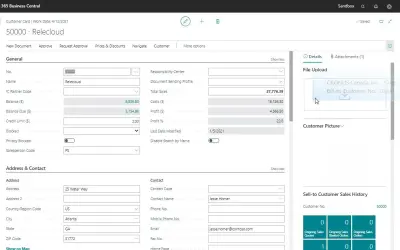
Drag & Drop
Drag & Drop lets Dynamics 365 Business Central users drag emails and files from Outlook or Windows Explorer into records.
Q-Team SolutionsPaid
Add files to Microsoft Dynamics 365 Business Central documents and pages by dragging them to almost any location.
Drag & Drop lets users add files to documents and pages in Microsoft Dynamics 365 Business Central by dragging an object to almost any location. Files can be stored in the Business Central database or on SharePoint Online. Stored files can be attached to Business Central's standard mailing functions.
Add files to documents and pages in Microsoft Dynamics 365 Business Central by dragging them to almost any location.
Store files directly in the Microsoft Dynamics 365 Business Central database.
Store files on a SharePoint Online site.
Add stored files as attachments to the standard mailing functions of Microsoft Dynamics 365 Business Central.
219 plugins in Dynamics 365 Business Central · Sales
Price distribution: 12 free, 5 freemium, 181 paid, 21 price not published
Drag & Drop lets Dynamics 365 Business Central users drag emails and files from Outlook or Windows Explorer into records.
Q-Team Solutions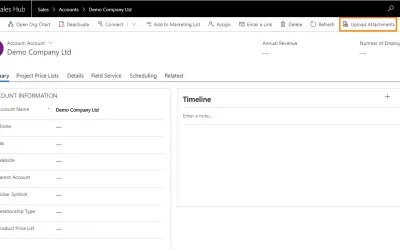
Turns Dynamics 365 forms into file dropzones so users can upload files by dragging and dropping them onto the form.
Thrives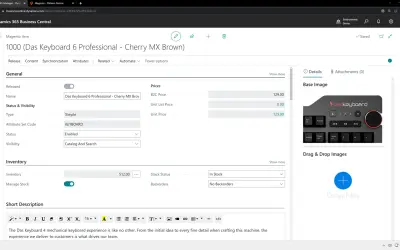
Commerce 365 for Magento enables you to run your Magento e-commerce store(s) directly from Microsoft Dynamics 365 Business Central.
NVision Commerce Solutions B.V.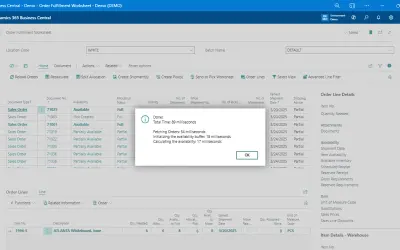
Prioritizes and groups in-stock orders in Microsoft Dynamics 365 Business Central and shows what blocks each line.
Insight Works«Drag & Drop makes your day-to-day operation with Microsoft Dynamics 365 Business Central much easier. With the Drag & Drop extension you can "grab" an object and drag it to almost any location in Microsoft Dynamics 365 Business Central. This sounds like a standard feature; however, it is not possible in Microsoft …»