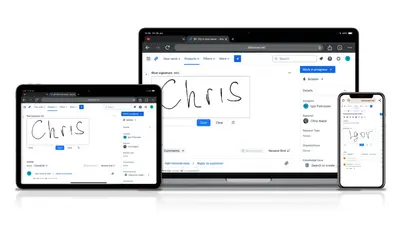
Real Signature for Jira and JSM (In-Person Signing)
Collects in-person signatures and generates customized PDFs within Jira issues or the customer portal.
BDQPaid
Attach PDF documents to Jira issues and start DocuSign signing workflows from Jira.
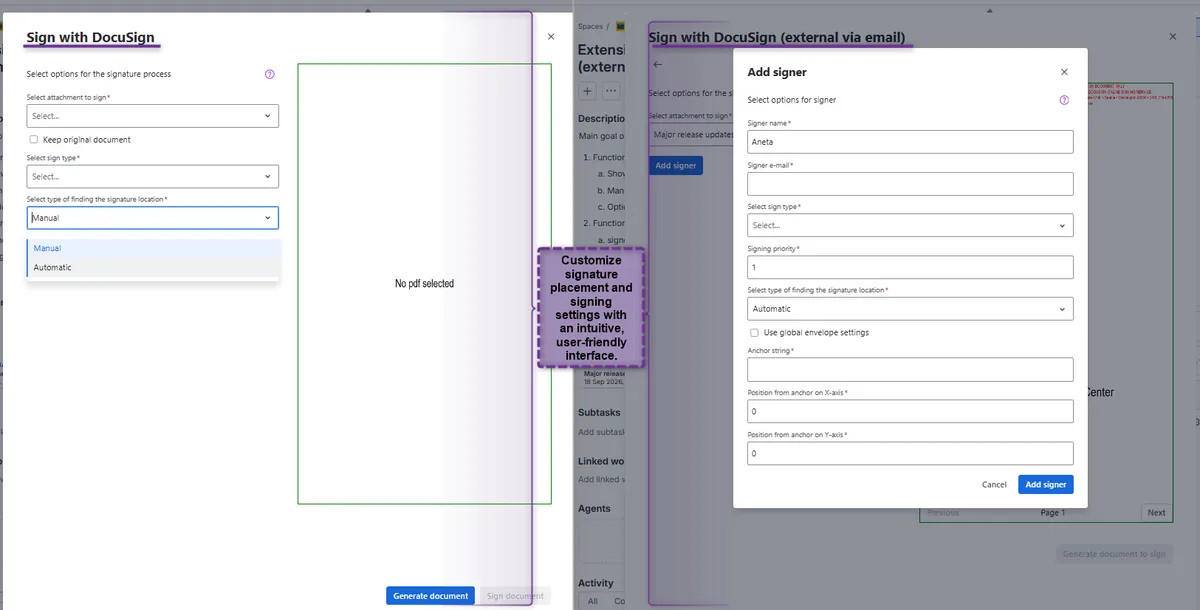
DocuSign for Jira attaches PDF documents to Jira issues and starts signing requests through DocuSign. It supports internal signing and external signing through email. Configuration includes DocuSign credentials, signer details, signing priorities, signature placement, and workflow preferences. A signing history tab shows timestamps, participant details, and document status.
Attach PDF documents directly to Jira issues before starting a signing request.
The basic signing method supports Jira users as signers.
The external signing method sends signing requests to external recipients by email.
Select signers, set signing priorities, and configure signature placement and workflow preferences.
A dedicated tab displays timestamps, participant details, and document status.
The add-in is intended for Jira users and external recipients involved in document signing.
DocuSign for Jira uses a freemium pricing model, while Real Signature for Jira and JSM (In-Person Signing) is paid; both are cloud deployments and show an update date of Sep 2026.
| Name | Pricing | Deployment | Updated |
|---|---|---|---|
| this plugin | Freemium | Cloud | |
| Real Signature for Jira and JSM (In-Person Signing) | Paid | Cloud |
495 plugins in Jira · Administrative tools
Price distribution: 157 free, 126 freemium, 212 paid
Collects in-person signatures and generates customized PDFs within Jira issues or the customer portal.
BDQ
Organizes Jira and JSM issues from multiple projects into shared queues with access controls and queue management.
Deviniti
Scheduled Jira exports create reports with custom fields, change history, and delivery by email, SFTP, download link, or API.
Advanced Insights
Embed shared Microsoft Power BI links in Jira issue tabs and dashboards with notes, images, PDFs, and other apps.
Apps+«Attach PDF documents directly to Jira issues and start the signing process in just a few clicks. Choose between Sign with DocuSign basic method for Jira users and Sign with DocuSign (External via Email) extensive method for external recipients. Easily configure DocuSign credentials, manage signing process, and collect …»