
QR Issue Card Printer for Jira
Prints Jira issues and filters as customizable cards with QR codes from boards, backlogs, and issue views.
SngularPaid
Organize Jira issues on visual boards with drag-and-drop updates, dependency lines, custom-field matrices, filters, and planning views.
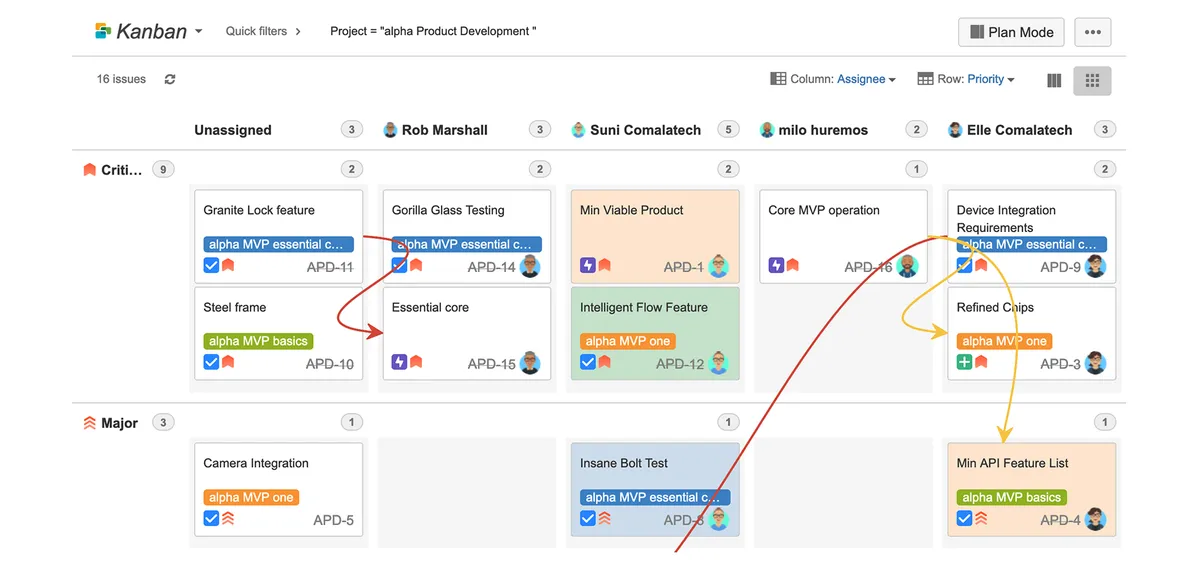
Organizes Jira issues as cards on Kanban or Scrum boards. Dragging cards can transition issues, change priorities, reschedule them, assign them, or update other issue attributes. Boards can show dependencies with visible lines, use custom fields as matrix rows or columns, and combine projects. Planning mode provides an area for planning sprints, releases, or components beside the product backlog.
Provides agile boards for Jira projects in Kanban or Scrum formats.
Dragging issue cards can transition them or change priorities, schedules, assignees, and other attributes.
Displays visible lines between issues to show their dependencies.
Creates matrix views using custom fields as rows or columns.
Refines board views with quick filters or JQL.
Combines issues from different projects on one board.
Adds a planning area for sprints, releases, or components beside the product backlog.
Comala Canvas for Jira is paid and supports data-center, cloud, and server deployment. QR Issue Card Printer for Jira and Compact Cards for Jira are paid alternatives that support data-center and server deployment. Lucidspark Cards for Jira is free and supports data-center and cloud deployment, while Sparxsys QR Code for Jira is freemium and supports cloud deployment. Comala Canvas for Jira was updated in Aug 2026; QR Issue Card Printer for Jira was updated in Apr 2026, Lucidspark Cards for Jira in Nov 2021, Sparxsys QR Code for Jira in Jun 2026, and Compact Cards for Jira in Mar 2026.
| Name | Pricing | Deployment | Updated |
|---|---|---|---|
| this plugin | Paid | Cloud · Data Center · Server | |
| QR Issue Card Printer for Jira | Paid | Data Center · Server | |
| Compact Cards for Jira | Not in catalog | ||
| Lucidspark Cards for Jira | Free | Cloud · Data Center | |
| Sparxsys QR Code for Jira | Freemium | Cloud | |
505 plugins in Jira · Project Management
Price distribution: 127 free, 198 freemium, 180 paid
Prints Jira issues and filters as customizable cards with QR codes from boards, backlogs, and issue views.
Sngular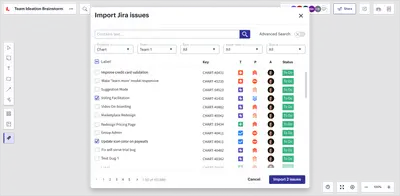
Visualizes Jira issues in Lucidspark for planning, grouping, dependency mapping, and conversion into Jira issues.
Lucid
Generate QR codes in Jira for issues, boards, backlogs, projects, and dashboards.
Sparxsys Solutions
Organizes Jira and JSM issues from multiple projects into shared queues with access controls and queue management.
Deviniti«Your Boards. Your way. Organize your issues as cards: simply drag them to transition, change priorities, reschedule, or assign. Agile boards (Kanban or Scrum) for any of your projects Planning mode keeps teams on track and ready for the future See the dependencies between your issues with visible lines Create a matrix …»