Dell Command | Secure BIOS Configuration
Cloud-based tool that replaces BIOS passwords with certificate-based configuration management for Dell commercial devices.
Dell TechnologiesPaid
Access playbooks, policies, procedures, checklists, and tasks inside Microsoft Teams.
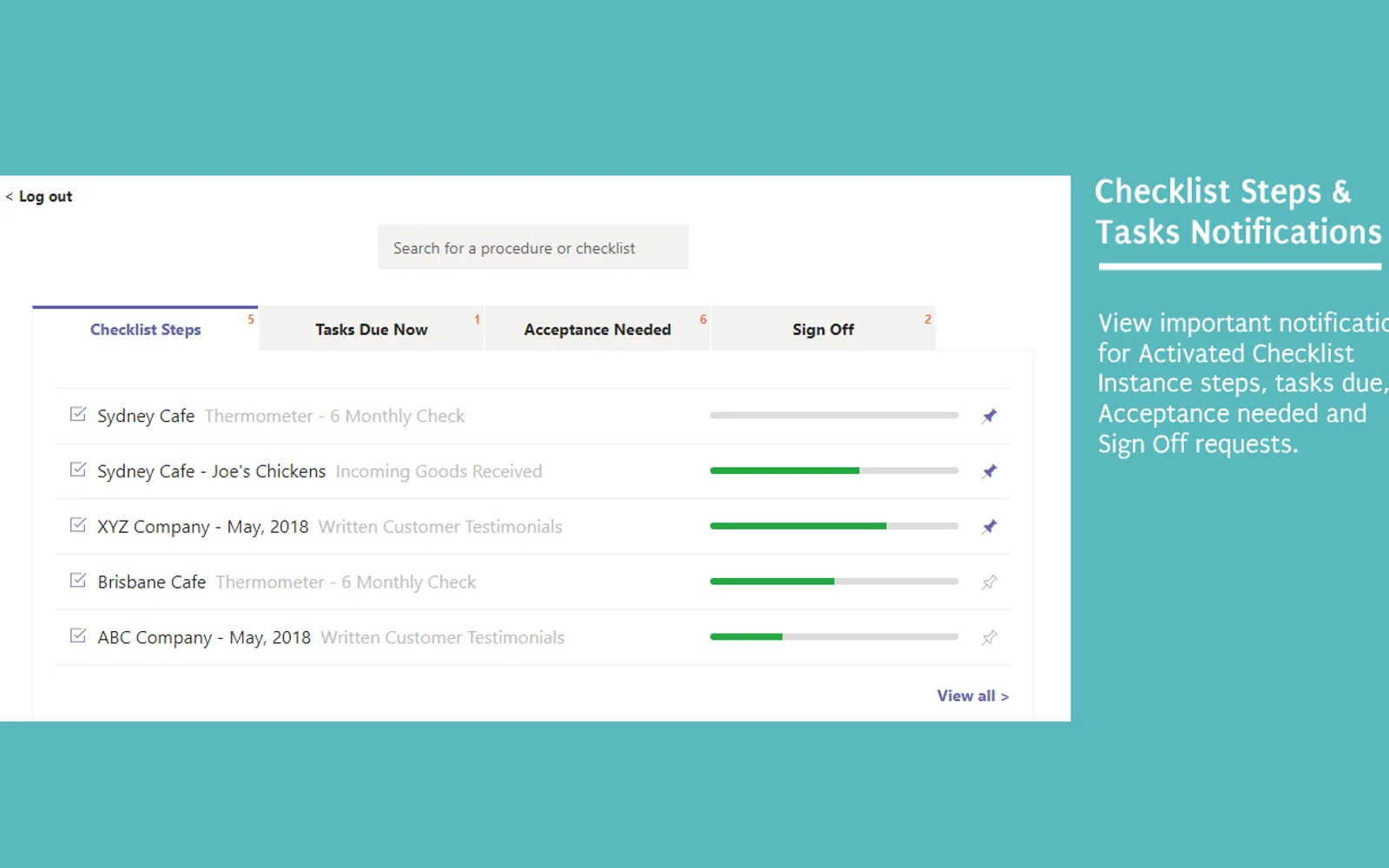
Way We Do brings playbooks, policies, procedures, and processes into Microsoft Teams. It displays activated checklists, tasks, and acceptance requests in a Teams channel tab and the Way We Do User Dashboard. Notifications cover checklist instances, due tasks, policy acceptance, sign-off requests, and upcoming tasks. Policies and procedures can be searched, while activated checklist instances can be pinned, searched, and sorted.
Activated checklist instances can be viewed, pinned, searched, and sorted within Microsoft Teams.
Notifications cover tasks due today and upcoming tasks over the next seven days.
Notifications cover sign-off requests for completed activated checklist instances.
Policies and procedures can be searched within Microsoft Teams.
Way We Do and TR Legal Communication Hub both use cloud deployment and have an unknown pricing model. Way We Do was updated in Sep 2025, while TR Legal Communication Hub was updated in Jan 2025.
| Name | Pricing | Deployment | Updated |
|---|---|---|---|
| this plugin | Price not published | Cloud | |
| TR Legal Communication Hub | Not in catalog | ||
950 plugins in Microsoft Teams · Collaboration
Price distribution: 19 free, 11 freemium, 100 paid, 820 price not published
Cloud-based tool that replaces BIOS passwords with certificate-based configuration management for Dell commercial devices.
Dell Technologies
Delivers Coralogix observability notifications and case previews directly into Microsoft Teams channels for review and action.
Coralogix LTD
ZestComply manages industry frameworks, generates policies and control mappings, and produces defensible evidence.
"Zest Creations."
A DAM and CMS for building websites, mobile apps, and forms that delivers marketing content and assets to any channel.
Adobe US«Way We Do helps you find and use playbooks, policies, procedures and processes right within Microsoft Teams. Easily view Activated Checklists, tasks and Acceptance requests directly from the Teams channel tab. You can now be updated about important steps of the process you are involved in and tasks that you need to …»