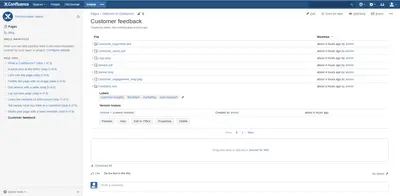
Paginated Attachments Macro
Display Confluence attachments in paginated lists, with controls for page size and child-page attachments.
BranchCreation S.L.U.Free
Show Confluence content blocks based on devices, view types, users, dates, weekdays, and labels.
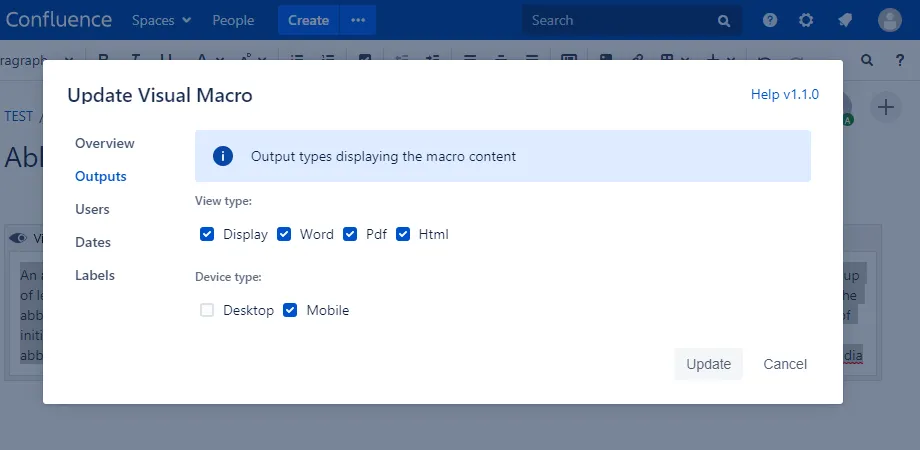
Visual Macro controls when and where a content block appears on a Confluence page. Conditions can include device, view type, users and groups, weekdays, date ranges, and labels.
Content can be shown based on whether the device is desktop or mobile.
The macro can show content for selected views such as display, PDF, DOC, or HTML.
Content visibility can be set for selected users and groups, including anonymous users.
The dates panel sets the dates when content is shown.
Content can be shown based on days of the week.
Labels can be used as conditions for displaying content.
990 plugins in Confluence · Content and communication
Price distribution: 228 free, 378 freemium, 384 paid
Display Confluence attachments in paginated lists, with controls for page size and child-page attachments.
BranchCreation S.L.U.Adds copyable heading links inside Confluence.
Carsten Klein
Show or hide Confluence page sections based on the viewing user or group.
AppfireAdds card- or list-based navigation in Confluence pages for direct child pages.
vis.dev UG (haftungsbeschränkt) & Co. KG«Visual Macro allows to specify when and where a block of content is shown. Users can see different content on a single page depends of chosen conditionals. Feature List: Devices (desktop or mobile) View type (display, pdf, doc, html) Users and groups (including anonymous) Days of the week Date range Labels DISCLAIMER …»