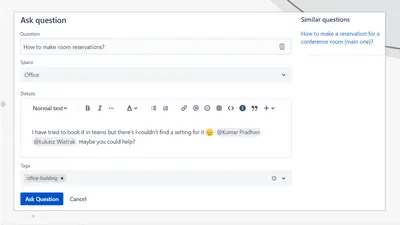
Community Questions for Confluence
Adds a searchable Q&A forum to Confluence with voting, tags, permissions, and notifications.
FirnityFreemium
Embed SqlDBM schema diagrams in Confluence for organization-wide viewing and navigation.
Places SqlDBM diagrams within Confluence pages for organization-wide access without requiring SqlDBM access or separate viewer accounts. The embedded view can follow project revisions or remain fixed to an earlier snapshot. Users can move around, zoom, inspect schema diagrams, and browse subject areas and diagram tabs. The display dimensions can be adjusted to fit the Confluence page.
Places SqlDBM diagrams inside Confluence pages.
Shows the current project revision or retains a selected earlier snapshot.
Supports movement, zooming, and exploration within schema diagrams.
Provides access to subject areas and diagram tabs from Confluence.
Allows the embedded height and width to be configured.
192 plugins in Confluence · Data and analytics
Price distribution: 47 free, 81 freemium, 64 paid
Adds a searchable Q&A forum to Confluence with voting, tags, permissions, and notifications.
Firnity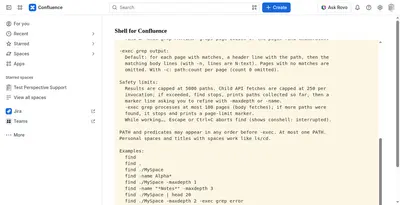
Manage Confluence pages through a command-line-style console for navigation, search, viewing, copying, and moving.
Kenputer
Adds natural-language timestamps, timezone conversions, countdowns, and ISO copying to Confluence pages.
Crenwiz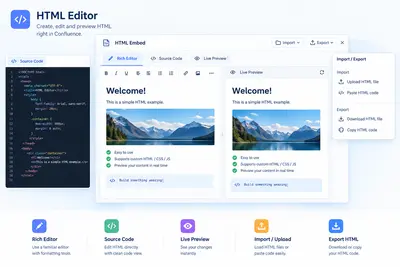
Embed HTML, iframe content, and Confluence Query Language searches in Confluence pages.
Come2Solution«Share diagrams across the entire organization SqlDBM Diagrams are now embeddable directly in Confluence. Share live, dynamic diagrams with your entire organization without needing to access SqlDBM or creating individual viewer accounts. Always up to date Share any project and stay in sync with changes as they happen …»