Advanced PDF Generator - Document Generation for all Salesforce Object
Generate customizable PDFs from Salesforce objects, fields, and related records.
SyntaxifyitFreemium
Creates accessible PDFs, forms, and templates in Salesforce for quotes, contracts, proposals, and other documents.
Gutenburg creates accessible PDFs and manages document templates in Salesforce. Features include semantic tagging, text alternatives, color and contrast controls, language and metadata settings, and table accessibility. It supports forms with labels, instructions, and keyboard navigation. The vendor also describes automated email attachments, bulk document sending, and sales documents using Salesforce line items and calculations.
Adds semantic tags and text alternatives to PDF documents.
Provides color, contrast, language, metadata, and table accessibility settings.
Creates forms with labels, instructions, and keyboard navigation.
Lets standard users build Salesforce document templates without external code or editors.
Generates quotes and proposals using Salesforce line items and calculations.
Automatically attaches forms, contracts, disclosures, and other documents to emails.
Sends acknowledgements, tax receipts, letters, attendee lists, and other documents in bulk.
Sales teams, nonprofit organizations, and standard Salesforce users.
Advanced PDF Generator creates password-protected PDFs from standard and custom Salesforce objects and automates generation through Apex or Flows, while Gutenburg focuses on accessibility features and accessible forms. TS Documents generates PDFs, Word documents, and Google Docs from Google Doc templates, whereas Gutenburg provides Salesforce template building with accessibility controls. S-Docs includes document generation and e-signature for PDF, Word, Excel, email, and forms; Gutenburg's listing centers on accessible PDFs, forms, and templates.
| Name | Pricing | Deployment | Updated |
|---|---|---|---|
| this plugin | Paid | Cloud | |
| Advanced PDF Generator - Document Generation for all Salesforce Object | Freemium | Cloud | |
| Google Docs | Freemium | Cloud | |
| S-Docs Native Document Generation & e-Signature: PDF, Word, Excel, Email, Forms | Paid | Cloud |
1,106 plugins in Salesforce Platform · Documents and content
Price distribution: 265 free, 166 freemium, 675 paid
Generate customizable PDFs from Salesforce objects, fields, and related records.
Syntaxifyit
Generate PDF, Word, Google Docs, and other files from Salesforce data using Google Doc templates.
Thorias Software Solutions
Generate Salesforce Platform documents from data using templates, queries, and automation through Flows, Apex, or REST API.
Maven Mule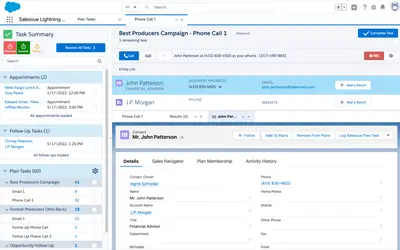
Automates prospect engagement, task workflows, emails, and cadence branching within Salesforce.
Salesvue«ADA legal enforcement is coming. Is your organization ready? Gutenburg provides accessible PDF creation and document management. Other apps provide either security or compliance, but Gutenburg offers the best of both. Embedded features provide the toolkit required to make your Salesforce PDFs compliant. ✓ Semantic …»