
Chiclet Slicer
Button-based slicer for Power BI that can be arranged horizontally or as a matrix, with cross highlighting and image support.
Microsoft CorporationPaid
Convert selected Excel cells into HTML table code and copy it to the clipboard for use in an HTML editor.
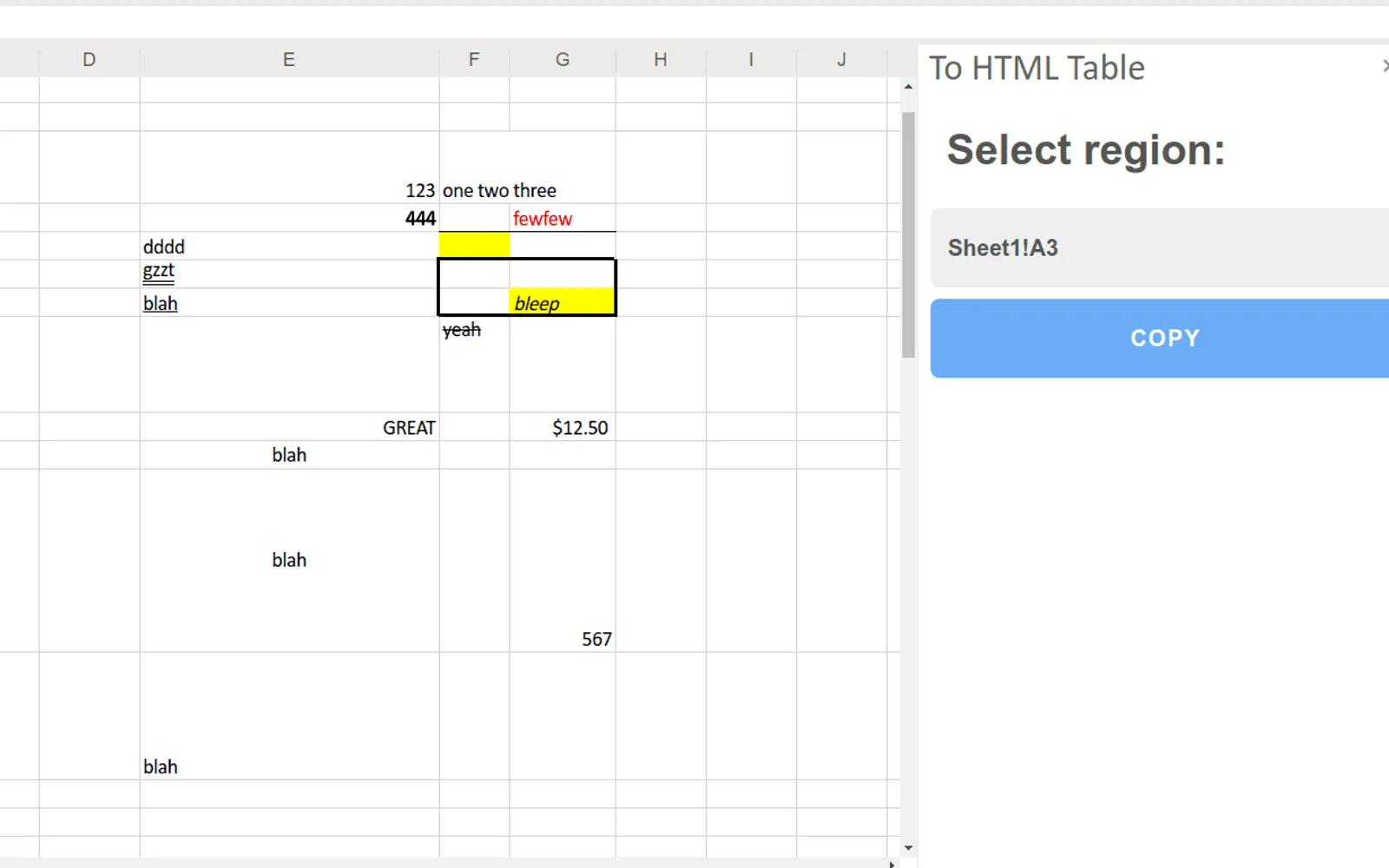
Converts a selected range of Excel cells into HTML table code. The code can be copied to the clipboard and pasted into an HTML editor or website. Output options include formatting, dimensions, colors as RGB or CSS classes, fonts, alignment, borders, and colors. The add-in can omit dimensions or toggle selected formatting elements on or off.
Exports selected Excel cells as HTML table tags.
Carries fonts, colors, borders, and alignment into the HTML output.
Exports colors as RGB values or CSS classes.
Sets table width and height in pixels or percentages, or omits them.
Copies the generated HTML code to the clipboard.
Allows fonts, alignment, borders, and colors to be switched on or off.
Web developers, technical writers, bloggers, and people who publish spreadsheet data online.
85 plugins in Excel · Data Management
Price distribution: 2 free, 1 freemium, 25 paid, 57 price not published
Button-based slicer for Power BI that can be arranged horizontally or as a matrix, with cross highlighting and image support.
Microsoft Corporation
Automates formulas, data cleanup, reporting, and bulk row-by-row tasks in Microsoft Excel from plain-language prompts.
TALARIAN S. à r.l.
Artemis Sheets pulls blockchain, protocol, and stablecoin metrics into Excel workbooks using CapIQ-like formula syntax.
Artemis Analytics
Excel add-in providing real-time quotes and up to 30+ years of historical price and fundamental data for 80,000+ global assets.
SheetsFinance«Perfect for anyone who works with HTML code or shares spreadsheet data online and needs proper formatting. This add-in lets you convert any selection of spreadsheet cells into HTML code that you can paste into your website. Simply select the range of cells from your spreadsheet that you want to export to HTML code for …»