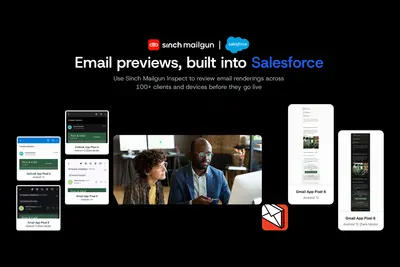
Mailgun Inspect - Email Preview & Rendering for Marketing Cloud Next
Preview and QA emails inside the Salesforce Marketing Cloud Lightning Email Template Builder.
SinchFreemium
Syncs Pardot Forms with Salesforce Marketing Cloud for use in Experience Builder, Lightning Pages, emails, and supported inboxes.
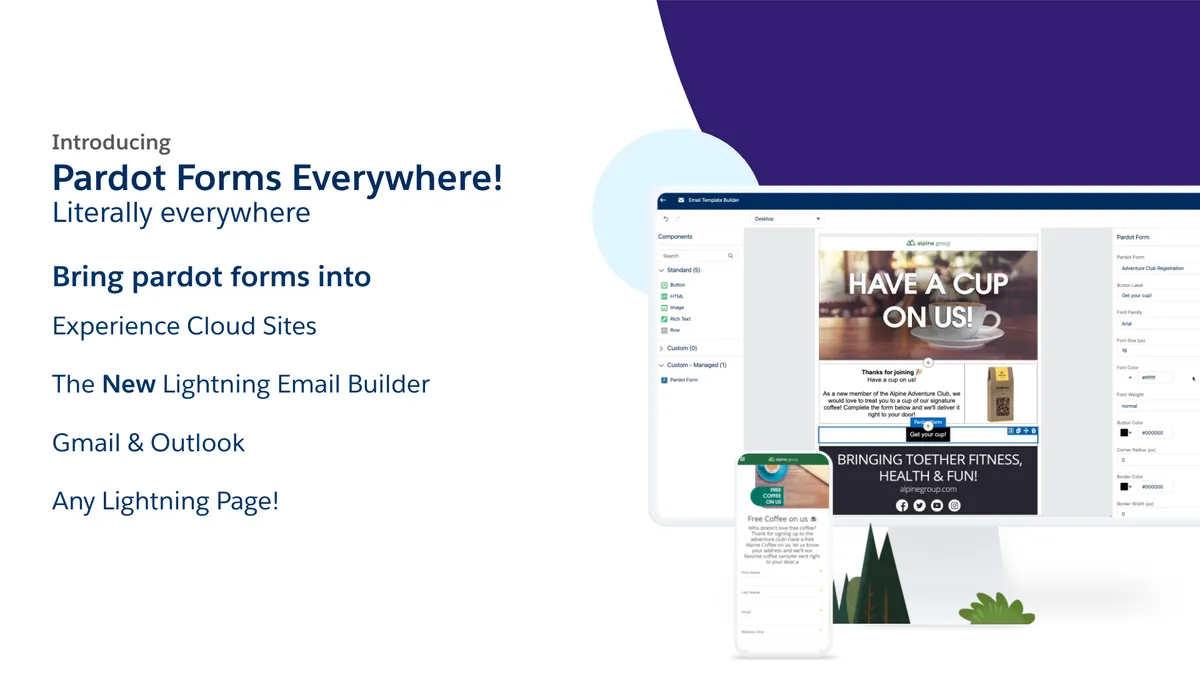
Pardot Forms Everywhere transfers Pardot Forms into a Salesforce org either when requested or according to a set schedule. The forms can then be used in Experience Builder and on Lightning Pages. A custom component in Lightning Email Builder allows a Pardot form to be selected for an email. The add-in also places Pardot Form links in Outlook, Gmail, and Salesforce pages that support Lightning Components.
Transfers Pardot Forms into a Salesforce org when requested or according to a set schedule.
Makes Pardot Forms available for use in Experience Builder.
Makes Pardot Forms available on Lightning Pages.
Adds a custom component to Lightning Email Builder for selecting a Pardot form for an email.
Provides Pardot Form links in Outlook, Gmail, and Salesforce pages that support Lightning Components.
16 plugins in Marketing Cloud · Marketing
Price distribution: 3 free, 4 freemium, 9 paid
Preview and QA emails inside the Salesforce Marketing Cloud Lightning Email Template Builder.
Sinch
Connects WordPress and WooCommerce with Salesforce for synchronized records, orders, products, customers, and form submissions.
miniOrange
Syncs Outlook calendars and email with Salesforce, schedules meetings, routes leads, and manages Teams webinars.
Apex NinjaTranslate and localize Salesforce Marketing Cloud marketing content, emails, templates, and customer communications.
Venizum Marketing Technology AB«Pardot Forms Everywhere takes your Pardot Forms and gives you the ability to sync them to your Salesforce org on demand or on a schedule. This will take the form and send the details over to Salesforce for you to use in the Experience Builder or on Lightning Pages. Even better, you can now drag a custom component into …»