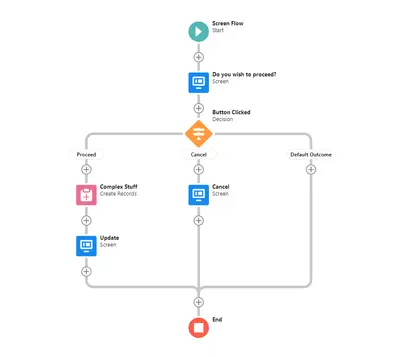
Flow Screen Navigation Button
Adds configurable navigation buttons to Salesforce flows for moving between screens and triggering actions.
Step LabsFree
Customize Salesforce Path stage colors, font colors, button styling, and confetti effects.
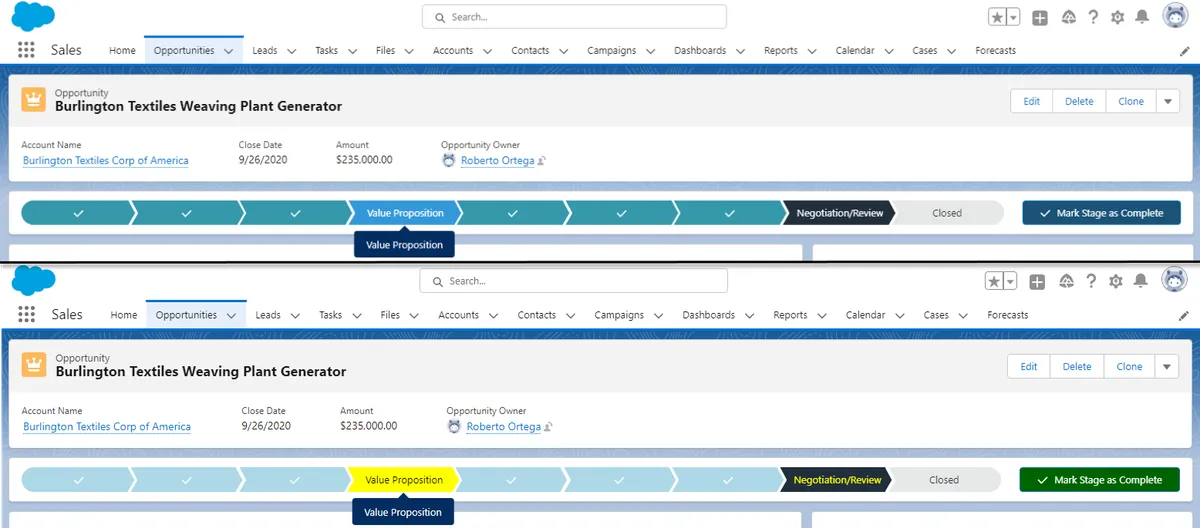
PaintedPath lets users set colors and font colors for active, incomplete, and complete Salesforce Path stages. It also changes the color and font of the Update Path button. Five confetti effects are available, with settings for displaying them at the Path’s final stage or at several stages.
Sets colors for active, incomplete, and complete Salesforce Path stages.
Sets font colors for active, incomplete, and complete Salesforce Path stages.
Changes the color and font of the Update Path button.
Offers Burst Mode, Cannon, Fireworks, Shower, and Winner confetti effects.
Sets confetti to appear at the Path’s final stage or at multiple stages.
PaintedPath configures colors and font colors for Salesforce Path stages and the Update Path button, and provides Path-related confetti effects. Cloud Highlights configures color highlights for fields, buttons, page headers, page backgrounds, and related list headers using filter criteria.
| Name | Pricing | Deployment | Updated |
|---|---|---|---|
| this plugin | Free | Cloud | |
| Cloud Highlights | Paid | Cloud |
464 plugins in Salesforce Platform · Admin and developer tools
Price distribution: 274 free, 25 freemium, 165 paid
Adds configurable navigation buttons to Salesforce flows for moving between screens and triggering actions.
Step Labs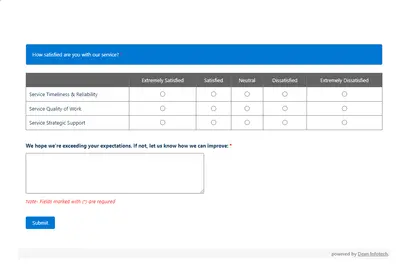
Automates customer satisfaction surveys and stores responses in Salesforce.
Dean Infotech Pvt Ltd
Send, sign, track, and store agreements from Salesforce records with DocuSign eSignature.
Docusign, Inc
Manage contracts in Salesforce with templates, negotiation tools, approvals, workflows, repository search, and analytics.
Docusign, Inc«Create your own magical path. PaintedPath is a custom component that allows users to configure each path exactly how they want with vibrant colors and custom confetti. Add vibrant colors to your Salesforce Path. You can choose specific colors for Active, Incomplete and Complete Stages, and the font color in each of …»