
CoreGPT AI for Outlook
CoreGPT AI for Outlook drafts, replies, summarizes, and translates emails inside Microsoft Outlook using GLM and GLM.
Shhapps Ltd. Liability Co.Price not published
Review suspicious emails in Outlook step by step and report dangerous messages to the IT department.
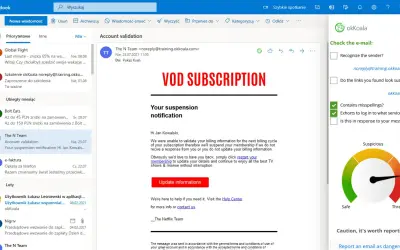
okKoala guides users through checking the details of a suspicious email and deciding how to respond. The process takes about a minute. When a message appears dangerous, users can report it to the IT department. Administrators can create phishing campaigns from the Koala page, which connects to the add-in.
Lets users report messages that appear dangerous to the IT department.
Connects to phishing campaigns created by an administrator from the Koala page.
Administrators, IT departments, and users who are not email security professionals.
2,531 plugins in Outlook · Analytics
Price distribution: 125 free, 147 freemium, 1,350 paid, 909 price not published
CoreGPT AI for Outlook drafts, replies, summarizes, and translates emails inside Microsoft Outlook using GLM and GLM.
Shhapps Ltd. Liability Co.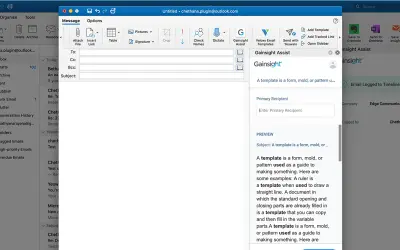
Gainsight Assist lets users access Gainsight email templates and log messages to the Gainsight Timeline directly from Outlook.
Gainsight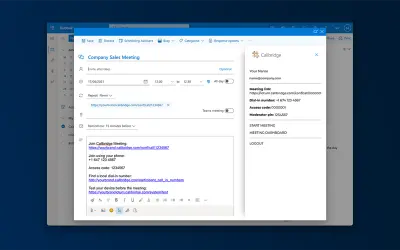
Adds the Callbridge meeting URL and information to the body of new or existing Microsoft Outlook calendar events.
Iotum Inc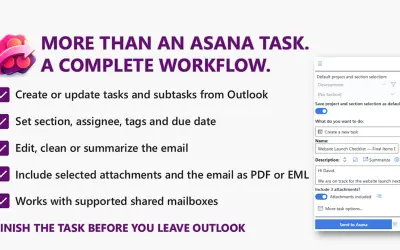
Send to Asana converts Outlook emails into structured Asana tasks and subtasks with configurable fields and attachments.
Kryl Solutions«okKoala shows step by step what to do with a suspicious email. It takes the user about a minute to check the details of the email and assess a proper reaction. If the message appears to be dangerous, the user will be able to report the email to the IT department. --------------------------------- Koala's user-friendly …»