Maxio previously SaaSOptics
Manage subscriptions, billing, revenue recognition, renewals, and analytics within Salesforce Revenue Cloud (CPQ).
Maxio previously SaaSOpticsPaid
Syncs Maxio and Salesforce data for customers, subscriptions, payments, products, and custom fields in Revenue Cloud (CPQ).
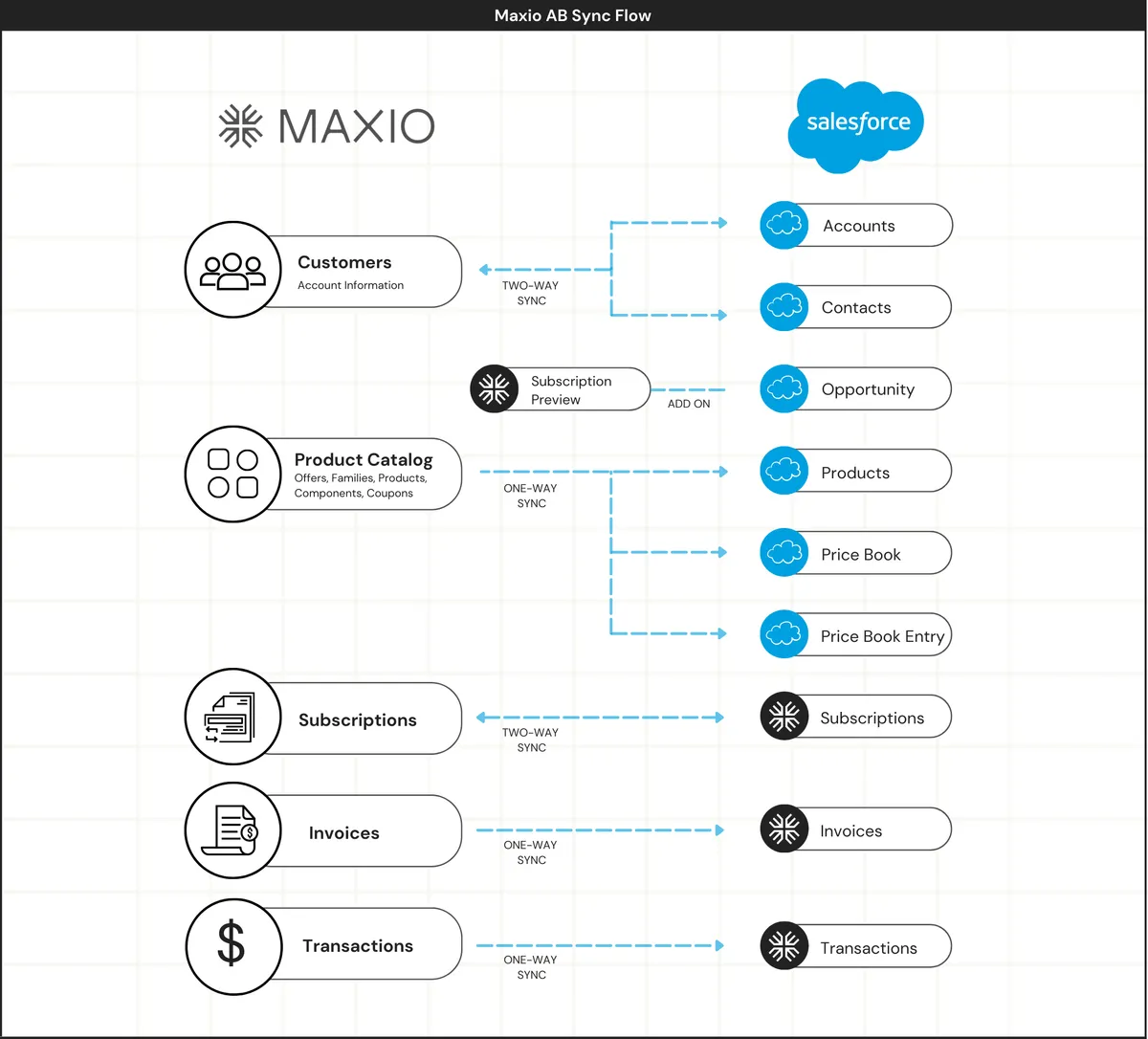
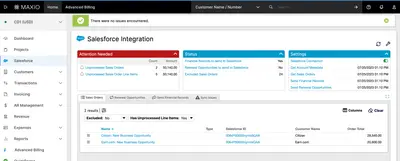
Maxio for Salesforce synchronizes data in both directions between Maxio and Salesforce. It supports creating customers and subscriptions, updating payment information, changing products, cancelling or reactivating subscriptions, allocating components, updating custom field values, and viewing historical transactions. Subscriptions can also be created from Salesforce CPQ quotes. Maxio includes variable, multi-attribute, and stair-step billing and pricing models, along with collections, dunning, and product and customer cohort performance information.
Data can be pushed from Maxio to Salesforce and from Salesforce to Maxio.
Subscriptions can be created, cancelled, reactivated, and created from Salesforce CPQ quotes.
Payment information can be updated through the integration.
Products can be changed using prorated or non-prorated updates.
Custom field values can be added or updated.
Historical transactions can be viewed.
Maxio provides collections and dunning capabilities for late, failed, or missing payments.
21 plugins in Revenue Cloud (CPQ) · Finance
Price distribution: 3 free, 2 freemium, 16 paid
Manage subscriptions, billing, revenue recognition, renewals, and analytics within Salesforce Revenue Cloud (CPQ).
Maxio previously SaaSOptics
Configure products, calculate prices, and manage quotes and subscriptions in Salesforce Revenue Cloud (CPQ).
CRM.Team™
Connects Salesforce CRM, CPQ and Revenue Cloud with m3ter for shared account, pricing and billing data.
m3ter UK Limited
Generate editable Salesforce agreements using customer, product, pricing, and opportunity data.
Docusign, Inc«The Maxio for Salesforce integration provides a two-way sync which allows you to push data from Maxio to Salesforce and vice versa. - Create customers and subscriptions - Update payment information - Change product (prorated or non-prorated) - Cancel or reactivate - Allocate components - Add or update custom field …»