PermissionWise
Automates assignment of permission sets, permission set groups, and public groups in Salesforce Platform based on user criteria.
Ngauge DigitalFree
Adds configurable input controls to Salesforce Flow, with values available for use in Flow variables.
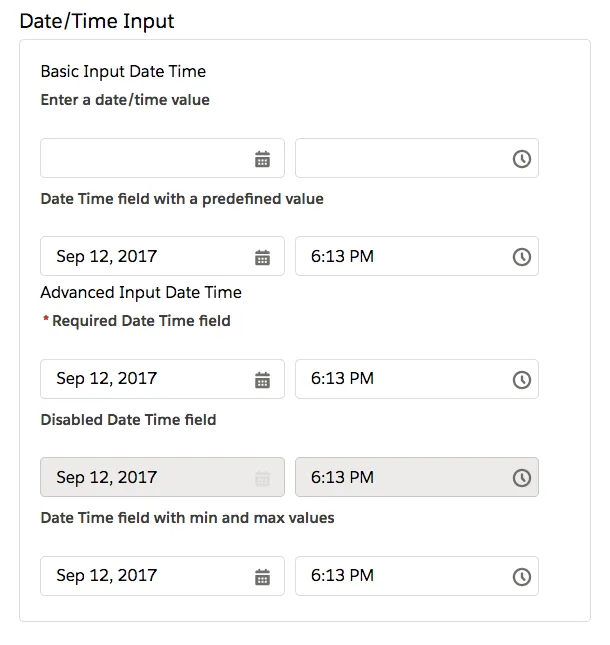
Adds input components to Salesforce Flow. Each component requires a type and label set in the Flow, with additional type-specific and validation attributes. An input value can be captured for use in a Flow variable, and checkbox or radio button groups can be linked with a group name.
Components use a required type attribute with type-specific attributes available.
Each component requires a label configured in the Flow.
An input value can be used to set a Flow variable.
Checkboxes and radio buttons can be linked by setting the Group Name attribute.
Validation attributes are available for the input components.
464 plugins in Salesforce Platform · Admin and developer tools
Price distribution: 274 free, 25 freemium, 165 paid
Automates assignment of permission sets, permission set groups, and public groups in Salesforce Platform based on user criteria.
Ngauge Digital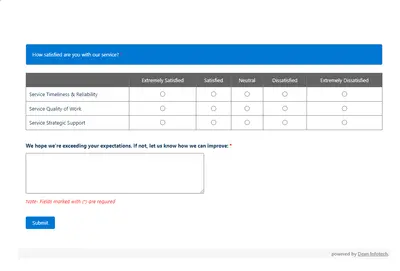
Automates customer satisfaction surveys and stores responses in Salesforce.
Dean Infotech Pvt Ltd
Send, sign, track, and store agreements from Salesforce records with DocuSign eSignature.
Docusign, Inc
Manage contracts in Salesforce with templates, negotiation tools, approvals, workflows, repository search, and analytics.
Docusign, Inc«type (possible values noted above) and label, which must be set in the Flow. There are also several type-specific attributes and validation attributes available (see here for full documentation) A value attribute captures the user's input and can be used to set a Flow variable. For checkboxes and radio buttons …»