
CoreGPT AI for Outlook
CoreGPT AI for Outlook drafts, replies, summarizes, and translates emails inside Microsoft Outlook using GLM and GLM.
Shhapps Ltd. Liability Co.Price not published
View and update JobDiva records from desktop or browser-based Outlook.
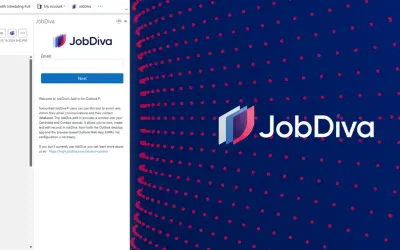
The JobDiva Add-In displays Contact or Candidate records related to the sender of a selected email. It shows contact information, company affiliation, and prior notes. Records can be created from an unrecognized sender's email signature, while existing records can receive Tasks, Notes, and Events. Emails and attached Resumes can be saved, and related records can be opened in JobDiva.
Displays JobDiva Contact or Candidate records related to the sender of a selected email.
Creates a new JobDiva record by parsing an unrecognized sender's email signature.
Adds Tasks, Notes, and Events to existing JobDiva records.
Saves emails or attached Resumes to related records.
Opens a related record in JobDiva from Outlook.
215 plugins in Outlook · Collaboration
Price distribution: 3 free, 3 freemium, 4 paid, 205 price not published
CoreGPT AI for Outlook drafts, replies, summarizes, and translates emails inside Microsoft Outlook using GLM and GLM.
Shhapps Ltd. Liability Co.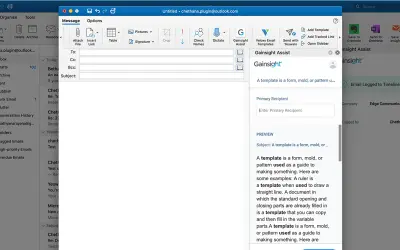
Gainsight Assist lets users access Gainsight email templates and log messages to the Gainsight Timeline directly from Outlook.
Gainsight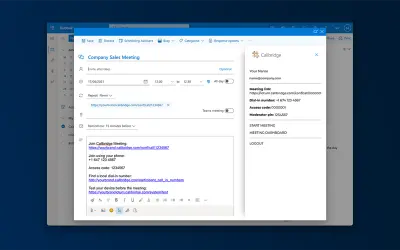
Adds the Callbridge meeting URL and information to the body of new or existing Microsoft Outlook calendar events.
Iotum Inc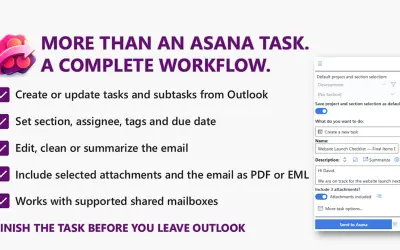
Send to Asana converts Outlook emails into structured Asana tasks and subtasks with configurable fields and attachments.
Kryl Solutions«Subscribed JobDiva® users can leverage this Add-In to enrich and inform their relationship management. The JobDiva Add-in provides an interactive window into the internal records of your email correspondents. This allows users to view, create and edit records in JobDiva, from within both Desktop Outlook and the …»