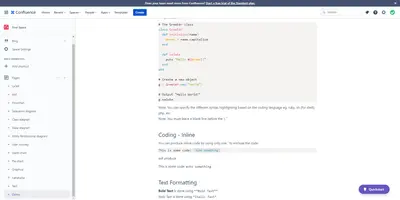
Markdown Macro with LaTeX for Confluence Cloud
Write GitHub Flavored Markdown with LaTeX in Confluence, export it to PDF, and use it in the Confluence mobile app.
FulstechFreemium
Add KaTeX-powered LaTeX markup to Confluence pages.
JeremyTeX adds LaTeX macros to Confluence pages through a slash command. Macro markup can be edited in the configuration pane, with optional expansions supplied as JSON key-value pairs. The macros do not render on mobile because of a platform limitation.
Typing a forward slash followed by "latex" inserts a LaTeX macro into a page.
The configuration pane provides a place to modify the macro's content markup.
LaTeX macro expansions can optionally be provided as JSON key-value pairs.
JeremyTeX is free and cloud-deployed, while Markdown Macro with LaTeX for Confluence Cloud is freemium and cloud-deployed. Embedded Google Calendar for Confluence is freemium and cloud-deployed, was updated in Aug 2025.
| Name | Pricing | Deployment | Updated |
|---|---|---|---|
| this plugin | Free | Cloud | |
| Markdown Macro with LaTeX for Confluence Cloud | Freemium | Cloud | |
| Embedded Google Calendar for Confluence | Freemium | Cloud |
990 plugins in Confluence · Content and communication
Price distribution: 228 free, 378 freemium, 384 paid
Write GitHub Flavored Markdown with LaTeX in Confluence, export it to PDF, and use it in the Confluence mobile app.
Fulstech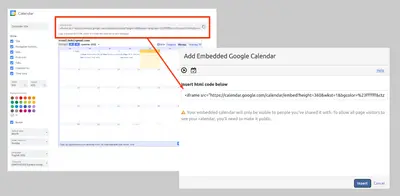
Embed and customize Google Calendar views in Confluence pages using Google Calendar’s HTML embed code.
BrizoIT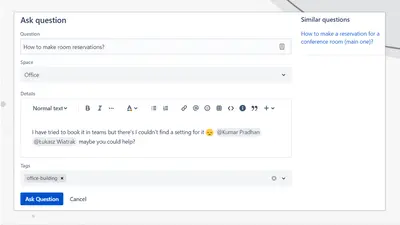
Adds a searchable Q&A forum to Confluence with voting, tags, permissions, and notifications.
Firnity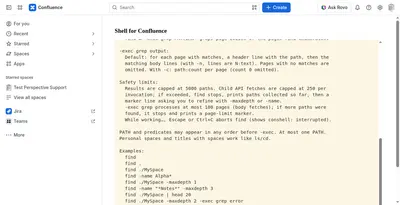
Manage Confluence pages through a command-line-style console for navigation, search, viewing, copying, and moving.
Kenputer«After inserting a LaTeX macro in a page (type forward slash and "latex"), edit the macro configuration to modify the macro content markup in the configuration pane on the right. Optionally, LaTeX macro expansions may be provided as JSON key-value pairs. Note that as a Confluence Forge application, these macros will …»