
Bitbucket Cloud Migration Assistant
Migrates Bitbucket Server or Data Center repositories, pull requests, and users to Bitbucket Cloud.
AtlassianFree
Schedule Bitbucket issues and track time on them in HourStack.
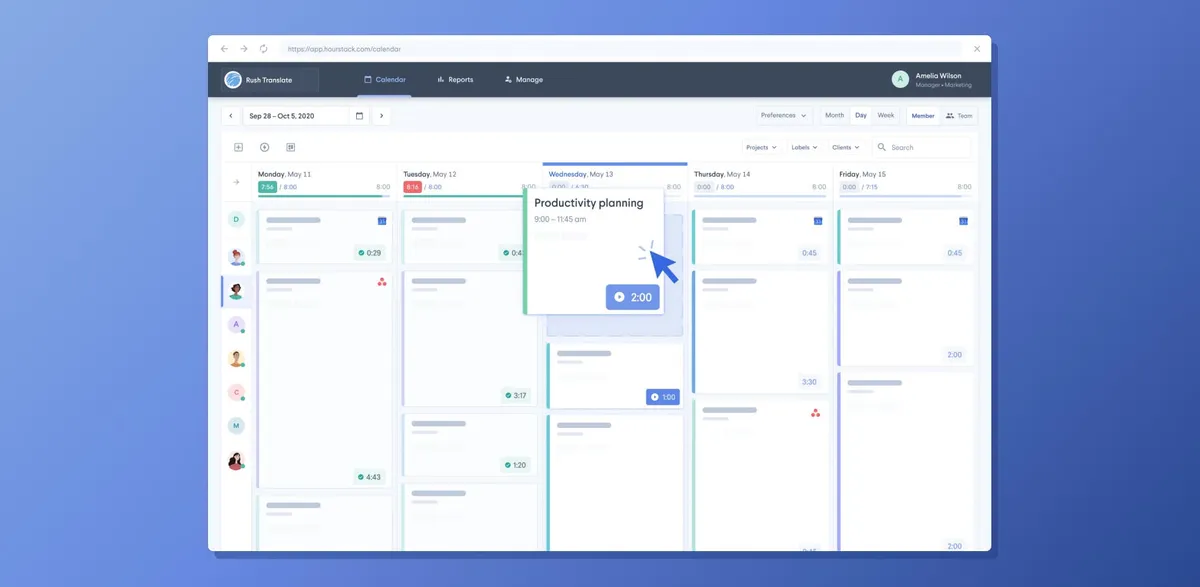
The HourStack integration connects with Bitbucket to schedule tasks and track time on existing Bitbucket issues. Issues can be filtered, searched, and added to a calendar or a teammate’s schedule. Built-in timers record time spent on issues, and reports compare estimated time with actual logged time and support export in multiple formats. Notes, status, priority, and completion changes can be reflected in both applications.
Filters and searches Bitbucket issues, then adds them to a calendar or a teammate’s schedule.
Uses built-in timers to track time spent on Bitbucket issues from HourStack’s calendar view.
Generates reports comparing estimated time with actual logged time and supports export in multiple formats.
Teams working on Bitbucket issues.
10 plugins in Bitbucket · Project Management
Price distribution: 3 free, 7 paid
Migrates Bitbucket Server or Data Center repositories, pull requests, and users to Bitbucket Cloud.
Atlassian
Manage Bitbucket users by deactivating inactive accounts, activating or deleting users in bulk, and filtering accounts.
miniOrange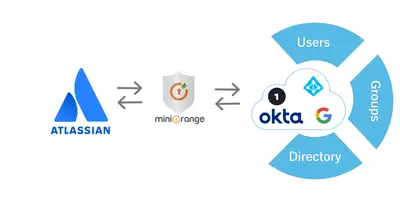
Synchronizes Bitbucket users, groups, and directories with identity providers through SCIM and APIs.
miniOrange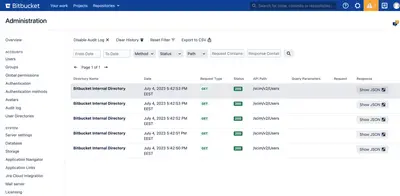
Provision and synchronize users and groups in Bitbucket through SCIM.
LuxPlugins«The HourStack + Bitbucket integration gives your team the ability to schedule tasks and to track time on issues they’re already working on in Bitbucket. This means they can stop jumping back and forth between applications, stay focused, and avoid task duplication issues. By connecting Bitbucket and HourStack, you’ll …»