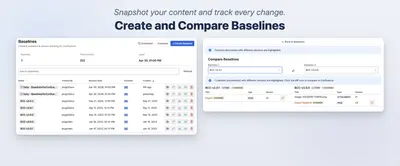
Baselines - Snapshots for Confluence Cloud
Create, schedule, compare, search, and export content snapshots within Confluence.
pluginDevsPaid
Track Confluence page versions, compare changes, and link history entries to Jira issues.

HistoryPro adds version comparisons and custom notes to Confluence page history. It links page versions to Jira tickets and displays issue keys and statuses in the history table. The add-in identifies the version marked as live in production based on Jira issue status and opens it directly. It also compares any two page versions without a full page reload.
Opens the Confluence page version currently marked as live in production based on Jira issue status.
Links page versions to Jira tickets and displays issue keys and statuses in the history table.
Adds custom notes to page saves.
Compares any two Confluence page versions without a full page reload.
Teams maintaining Confluence documentation.
HistoryPro is freemium, while Baselines - Snapshots for Confluence Cloud is paid. Both list cloud deployment. HistoryPro was updated in Apr 2026, while Baselines - Snapshots for Confluence Cloud was updated in Sep 2026.
| Name | Pricing | Deployment | Updated |
|---|---|---|---|
| this plugin | Freemium | Cloud | |
| Baselines - Snapshots for Confluence Cloud | Paid | Cloud |
121 plugins in Confluence · Content and communication
Price distribution: 37 free, 46 freemium, 38 paid
Create, schedule, compare, search, and export content snapshots within Confluence.
pluginDevs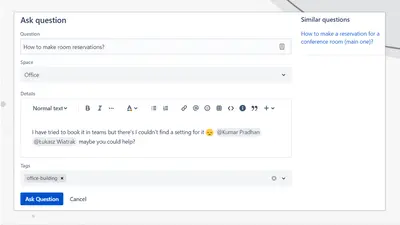
Adds a searchable Q&A forum to Confluence with voting, tags, permissions, and notifications.
Firnity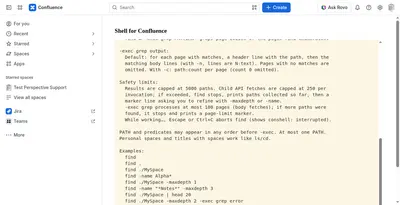
Manage Confluence pages through a command-line-style console for navigation, search, viewing, copying, and moving.
Kenputer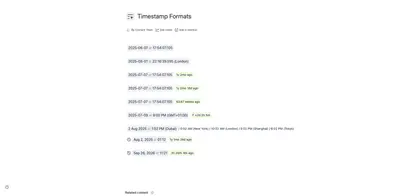
Adds natural-language timestamps, timezone conversions, countdowns, and ISO copying to Confluence pages.
Crenwiz«Understand the WHY behind every Confluence change. Standard history shows who and when . HistoryPro provides the context, linking documentation to reality. 🌟 Key Features: 🚀 View Live Baseline: One-click access to the version currently in Production. Automatically identified by Jira issue status. 🔗 Jira …»