
GHEC
Sends repository updates from GitHub Enterprise Cloud with data residency to Microsoft Teams and supports GitHub slash commands.
GitHub IncPrice not published
Open, create, and commit Office files in GitHub repositories from Excel.
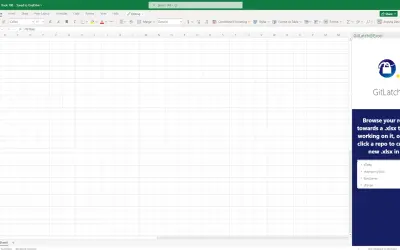
GitLatch for Excel opens Office files from GitHub repositories and starts new Office files in those repositories. Changes can be committed from the add-in taskbar or Excel ribbon, with optional additional PDF files. A GitHub account is required.
Opens Office files from GitHub repositories.
Starts new Office files in GitHub repositories.
Commits changes to GitHub repositories from the add-in taskbar or Excel ribbon.
Optionally commits additional PDF files that are visible on GitHub.
GitLatch for Excel and GHEC both use cloud deployment and have an unknown pricing type. GitLatch was updated on Oct 2025, while GHEC was updated on Feb 2025.
| Name | Pricing | Deployment | Updated |
|---|---|---|---|
| this plugin | Price not published | Cloud | |
| GHEC | Price not published | Cloud |
59 plugins in Excel · Collaboration
Price distribution: 1 freemium, 9 paid, 49 price not published
Sends repository updates from GitHub Enterprise Cloud with data residency to Microsoft Teams and supports GitHub slash commands.
GitHub Inc
Button-based slicer for Power BI that can be arranged horizontally or as a matrix, with cross highlighting and image support.
Microsoft Corporation
Automates formulas, data cleanup, reporting, and bulk row-by-row tasks in Microsoft Excel from plain-language prompts.
TALARIAN S. à r.l.
Artemis Sheets pulls blockchain, protocol, and stablecoin metrics into Excel workbooks using CapIQ-like formula syntax.
Artemis Analytics«Easily open and commit your changes to your GitHub repos' Excel files with this simple add-in. You will need a GitHub account to use this add-in. Follow the instructions in the add-in lateral taskbar to: - open Office files in your GitHub repos - start new Office files in your GitHub repos - commit your changes Find …»