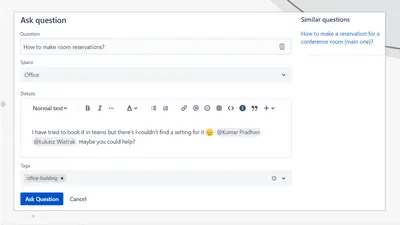
Community Questions for Confluence
Adds a searchable Q&A forum to Confluence with voting, tags, permissions, and notifications.
FirnityFreemium
Exclude selected page content from Confluence exports with a macro.
This Confluence macro marks page content for omission from selected export types. It can exclude content from PDF, Word, HTML, CSV, and email notification outputs. The vendor describes use for removing sensitive details, irrelevant sections, or material intended for specific audiences.
Excludes designated content from PDF, Word, HTML, CSV, and email notification outputs.
Places the macro on a Confluence page.
Allows page content to be marked for exclusion from exports.
97 plugins in Confluence · Security and compliance
Price distribution: 26 free, 22 freemium, 49 paid
Adds a searchable Q&A forum to Confluence with voting, tags, permissions, and notifications.
Firnity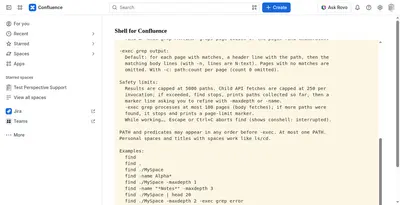
Manage Confluence pages through a command-line-style console for navigation, search, viewing, copying, and moving.
Kenputer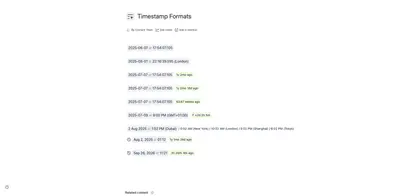
Adds natural-language timestamps, timezone conversions, countdowns, and ISO copying to Confluence pages.
Crenwiz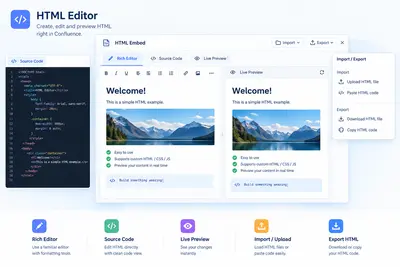
Embed HTML, iframe content, and Confluence Query Language searches in Confluence pages.
Come2Solution«The macro provides an intuitive way to exclude specific content from various export types, such as PDF, Word, and CSV's, using a simple macro. Easily control what information is included in your exported documents, allowing you to customize content for different audiences and streamline sharing. Whether you need to …»