
CoreGPT AI for Outlook
CoreGPT AI for Outlook drafts, replies, summarizes, and translates emails inside Microsoft Outlook using GLM and GLM.
Shhapps Ltd. Liability Co.Price not published
Manage Outlook attachments by changing names, order, sorting, numbering, and creating ZIP archives.
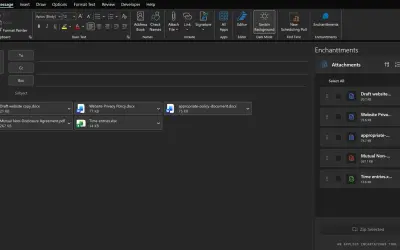
Enchanttments manages Outlook attachments by changing their names, sequence, and sort order. It can assign numbers to attachments and place them in ZIP archives for grouping. Attachment filenames can be changed without saving them as separate files.
Modifies attachment names without creating separate saved copies.
Rearranges the sequence of attachments.
Sorts attachments within an Outlook message.
Assigns numbers to attachments for lengthy emails or instructions.
Places attachments in ZIP archives for grouping.
105 plugins in Outlook · Productivity
Price distribution: 1 free, 21 paid, 83 price not published
CoreGPT AI for Outlook drafts, replies, summarizes, and translates emails inside Microsoft Outlook using GLM and GLM.
Shhapps Ltd. Liability Co.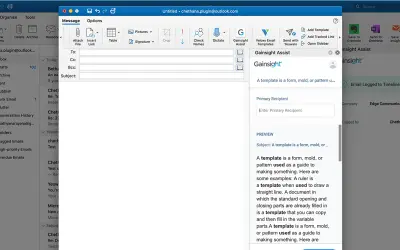
Gainsight Assist lets users access Gainsight email templates and log messages to the Gainsight Timeline directly from Outlook.
Gainsight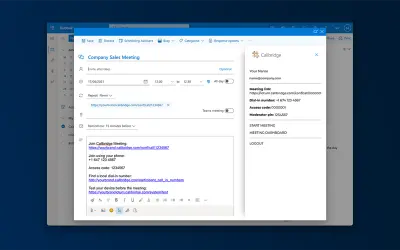
Adds the Callbridge meeting URL and information to the body of new or existing Microsoft Outlook calendar events.
Iotum Inc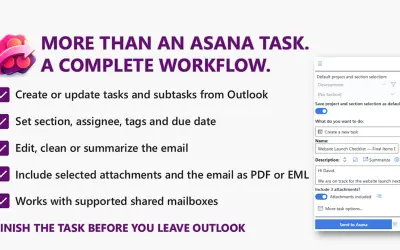
Send to Asana converts Outlook emails into structured Asana tasks and subtasks with configurable fields and attachments.
Kryl Solutions«Enchanttments is an attachment manager for Outlook, enabling you to rename, reorder, sort and automatically number email attachments. You can also zip attachments to save space or group them. Change the order of your attachments, change the filenames without saving them as something different, and number them to help …»