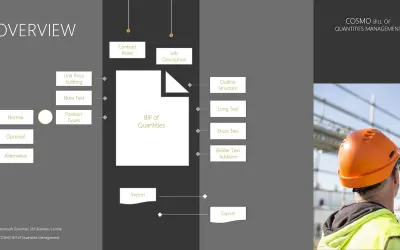
COSMO Bill of Quantities Management
Manages bill of quantities specifications, including GAEB and OeNorm files, within Microsoft Dynamics 365 Business Central.
COSMO CONSULTPaid
Track project and task time entries in Dovico Timesheet and view submission status.
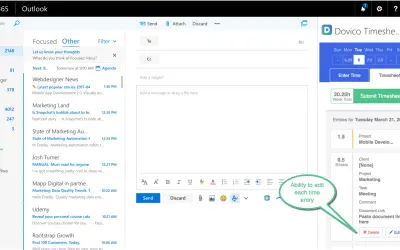
Dovico Timesheet records time against projects and tasks. Entries can be edited or deleted before submission and marked billable or nonbillable. Calendar events can populate an entry with the event title and start and end times. Daily and weekly totals are available, along with entry statuses and weekly submission.
Records time entries for projects and tasks.
Shows whether each entry is approved, rejected, or not submitted.
Marks time entries as billable or nonbillable.
Uses a calendar event title and its start and end times when creating a time entry.
Displays time entries for the day with daily and weekly totals.
Submits time for the week.
568 plugins in Productivity
Price distribution: 8 free, 8 freemium, 164 paid, 388 price not published
Manages bill of quantities specifications, including GAEB and OeNorm files, within Microsoft Dynamics 365 Business Central.
COSMO CONSULT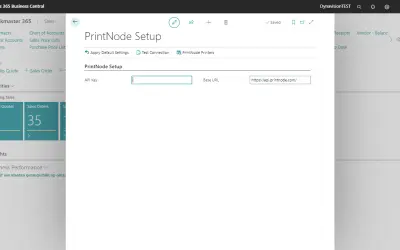
Connects Microsoft Dynamics 365 Business Central to cloud printing, FTP/SFTP, and external document storage services.
Dynavision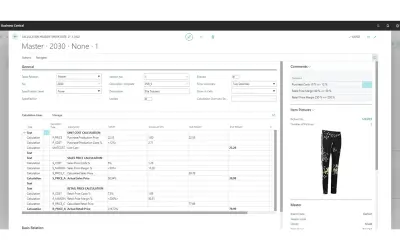
TRIMIT manages product variants, pricing, and inventory for fashion, apparel, and furniture businesses on Business Central.
TRIMIT Development A/S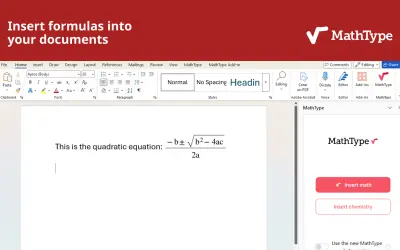
MathType is an equation editor add-in for Microsoft Word and PowerPoint that supports math and chemical notation input.
Wiris«Track your timesheet for projects and tasks and check the approval status of each time entry (approved, rejected, under review and not submitted). Your time entries can be flagged as billable or nonbillable. This is a time saver that will help you get back to what is important, your meaningful work.»