Documents Organizer
Organizes, searches, sorts, uploads, and previews files in Salesforce.
Technology MindzFree
Link, organize, tag, and store Salesforce documents across records and external cloud drives.
DocFynd links documents to multiple Salesforce records, applies tags and categories, and creates folders based on configured criteria. It can update fields or perform actions when documents are uploaded, store files in external services, and sync documents from external drives to Salesforce. Email attachments from Gmail and Outlook can be uploaded to Salesforce and linked to corresponding Account or Opportunity records.
Links documents to multiple Salesforce records using configurable rules.
Stores documents in AWS S3, Box, Google Drive, Dropbox, OneDrive, and SharePoint.
Applies configurable hashtags, including retro-tagging for older documents and sharing across related Salesforce records.
Creates and synchronizes folder hierarchies between Salesforce and external drives based on configured criteria.
Consolidates document metadata, sets priority labels, updates fields, and performs actions based on uploaded document types.
Uploads Gmail and Outlook attachments to Salesforce and links them to corresponding Account or Opportunity records.
Documents Organizer focuses on file organization and import or export, while DocFynd also links documents to multiple Salesforce records, applies upload rules, and connects to external storage services. Lightning File Explorer provides a file hierarchy for Salesforce-associated files, whereas DocFynd adds external-drive document syncing to Salesforce, document workflows, and email attachment handling. Cloud File Uploader supports uploads from cloud providers, local storage, and remote URLs, while DocFynd includes configurable record linking, tagging, folder automation, and document actions. Files Connect for Salesforce Users connects Google Workspace files to Salesforce records, while DocFynd connects to other listed external storage services and includes document workflow features.
| Name | Pricing | Deployment | Updated |
|---|---|---|---|
| this plugin | Paid | Cloud | |
| Documents Organizer | Free | Cloud | |
| Lightning File Explorer | Free | Cloud | |
| Files Connect for Salesforce Users | Free | Cloud | |
| Cloud File Uploader | Free | Cloud |
642 plugins in Salesforce Platform · Documents and content
Price distribution: 308 free, 63 freemium, 271 paid
Organizes, searches, sorts, uploads, and previews files in Salesforce.
Technology Mindz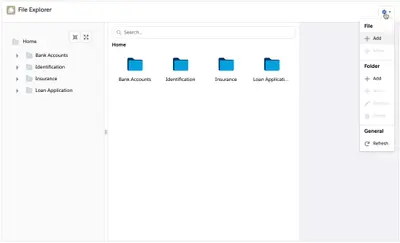
Organize Salesforce Platform record files in folders with tagging, search, previews, and file management.
Salesforce Labs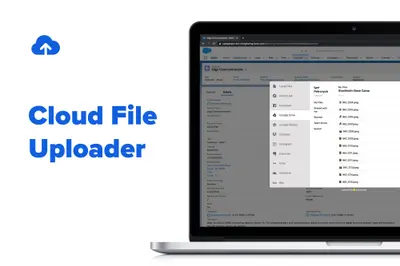
Upload files to Salesforce from cloud services, local storage, or remote URLs through Lightning.
Noltic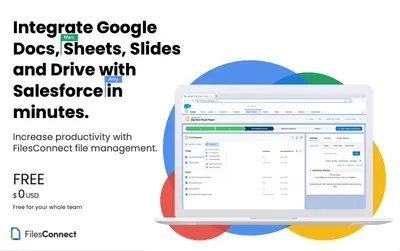
Connects Google Drive files and folders to Salesforce records, with file access and editing inside Salesforce.
The Great Apps Company«What is DocFynd? DocFynd is a simple click-and-configure ISV App. It allows you to link documents to multiple records, save the files to various external drives, hashtag for easy searching, automate folder creation based on any criteria, and tag documents received via email. How DocFynd adds value? All businesses have …»