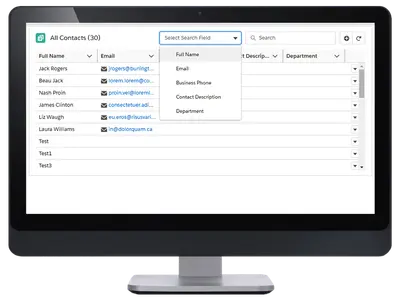
Custom Related List by Extentia
Adds sorting, filters, search, scrolling, formatted fields, and record actions to Salesforce related lists.
ExtentiaFree
Manage configurable Kanban views for Salesforce records with custom cards, filters, sorting, and drag-and-drop stage changes.
Custom Kanban adds configurable board views for Salesforce records and supports standard and custom object types. Administrators can create and switch between multiple boards, select the fields shown on cards, apply filters, and sort records by several listed fields. Cards can be moved between stages by dragging them, and the vendor states that the boards can display unlimited records.
Administrators can create several Kanban views for one Salesforce object and switch between their configurations.
Administrators can choose which record fields appear on Kanban cards.
Records can be ordered by creation date, modification date, ID, or Kanban Ranking for leads.
Administrators can add filters to control which records appear in a Kanban view.
The vendor lists accounts, contacts, opportunities, leads, and custom objects as supported Salesforce object types.
Users can move record cards between Kanban stages by dragging them.
The vendor states that Custom Kanban can display unlimited records.
642 plugins in Salesforce Platform · Productivity
Price distribution: 308 free, 63 freemium, 271 paid
Adds sorting, filters, search, scrolling, formatted fields, and record actions to Salesforce related lists.
Extentia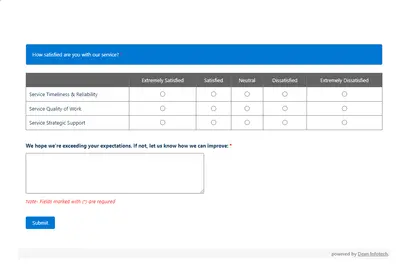
Automates customer satisfaction surveys and stores responses in Salesforce.
Dean Infotech Pvt Ltd
Send, sign, track, and store agreements from Salesforce records with DocuSign eSignature.
Docusign, Inc
Manage contracts in Salesforce with templates, negotiation tools, approvals, workflows, repository search, and analytics.
Docusign, Inc«Salesforce Kanban view provides users with a visual summary of records that is easy to understand. However, the Default Salesforce Kanban has major drawbacks that restrict its use in modern times. Such as: 1. It can only display up to 200 records at a time. 2. We cannot create multiple Kanban views. 3. We cannot add …»